
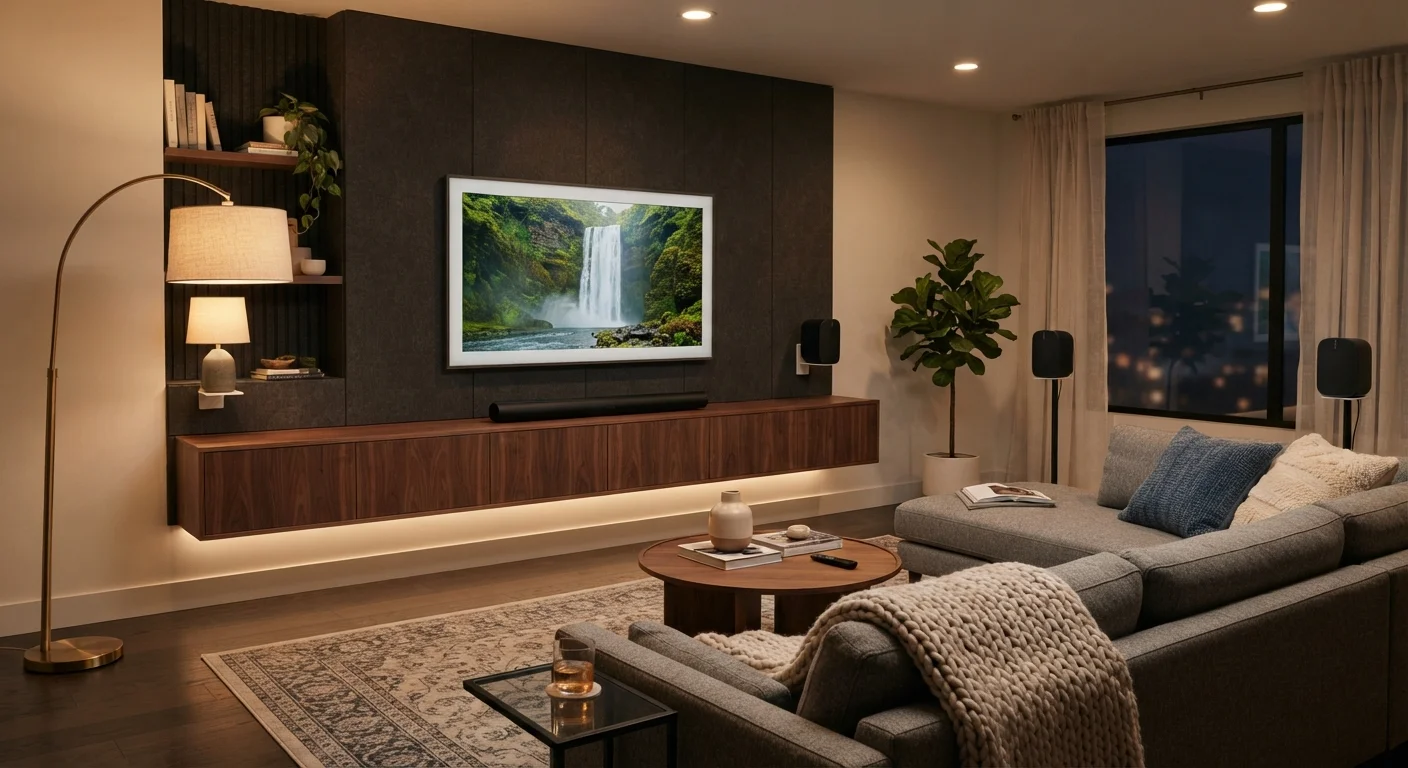
Why Room Acoustics Should Come First
Before comparing specs or price tiers, the most important question is: what kind of room will this audio system actually live in? A powerful surround system placed in a small, reflective room can produce muddled, echo-heavy sound. Meanwhile, a quality sound bar in a well-proportioned living room often performs above its apparent class.
Room size sets the baseline. Rooms under roughly 300 square feet rarely benefit from a full multichannel speaker array - the listening positions are too close together for directional audio cues to register meaningfully. Larger, open-plan spaces above 400-500 square feet give surround systems the distance they need to generate genuine left-right-rear separation.
Furnishings also matter. Hard floors, bare walls, and high ceilings increase reflections and reverberation. Soft surfaces - rugs, upholstered furniture, curtains - absorb sound and reduce echo. A surround system in a sparse, hard-surface room may actually sound worse than a sound bar in a carpeted, well-furnished one. For a broader look at how room environment shapes tech decisions, see this room-by-room technology guide.
Test with Your Own Content First
Before committing to either format, consider bringing a familiar movie or playlist to a showroom or a friend's setup. Audio quality is highly subjective, and what sounds impressive in a spec sheet may feel different in a real room. Pay attention to dialogue clarity and bass response - these are the areas where TV speakers fall shortest and where both formats make the most immediate difference.
Sound Bars: Strengths and Limitations
A sound bar consolidates multiple drivers into a single horizontal enclosure, typically placed below or above the TV. Many current models include a separate subwoofer for low-frequency extension, and some add rear satellite speakers to approximate surround effects. Audio processing technologies like Dolby Atmos and DTS:X can be decoded by higher-end sound bars, using up-firing drivers or psychoacoustic tricks to simulate height channels.
The practical advantages are significant. Installation involves one or two power cables and a single HDMI or optical connection. There's no receiver to program, no speaker wire to route across the room, and no calibration microphone required. This makes sound bars especially practical in rental apartments, shared living spaces, or any room where drilling holes and hiding cables isn't feasible.
The limitation is physics: a sound bar creates a convincing stereo field and can approximate surround effects, but it cannot replicate the precise directional cues that come from physically placing a speaker behind or to the side of a listener. For casual TV watching, streaming, and music, this distinction rarely matters. For listeners who care deeply about immersive positional audio, it does.
| Sound Bar | Surround Sound System | |
|---|---|---|
| Ideal room size | Small to medium (under ~400 sq ft) | Medium to large (400+ sq ft) |
| Installation complexity | Low - one or two cables | High - receiver, multiple speakers, cabling |
| Directional audio accuracy | Simulated via processing | Physical speaker placement |
| Space required | Minimal - single shelf unit | Significant - receiver plus 5+ speakers |
| Setup time | 30-60 minutes typical | Several hours plus calibration |
| Flexibility for renters/movers | High - easily relocated | Low - complex to move and reinstall |
| Input/source options | Limited (HDMI, optical, Bluetooth) | Broad (multiple HDMI, analog, phono) |
Surround Sound Systems: When Complexity Earns Its Keep
A traditional surround sound system pairs a AVR - the central hub that decodes audio signals and powers multiple channels - with discrete speakers positioned around the room. A standard 5.1 configuration includes a center channel (dialogue clarity), front left and right, two rear or side surrounds, and a subwoofer. Higher configurations like 7.1 or 5.1.2 (with ceiling or up-firing height speakers) expand on this foundation.
When room conditions are right, the results are genuinely different in character, not just volume. Directional audio events - a car passing behind the viewer, a whisper from the left - register spatially in a way that a single-enclosure device cannot fully replicate. This effect is most pronounced in rooms where speakers can be placed at recommended distances and angles from the primary listening position.
The tradeoffs include considerably more setup complexity, the need for a receiver with proper ventilation space, and ongoing calibration if speakers are moved. Cabling through walls is often necessary for a clean installation. If you're also considering how a large-screen display fits into such a setup, a comparison of projectors and large-screen TVs covers the visual side of the home theater equation.
Connectivity, Compatibility, and Future Flexibility
Both formats now support modern audio standards. HDMI eARC (Enhanced Audio Return Channel) is the preferred connection for either type, passing high-bandwidth audio formats like lossless Dolby TrueHD from a TV back to an audio device without quality loss. Confirm that both your TV and your audio system support eARC rather than the older ARC standard if lossless audio matters to you.
Sound bars from many manufacturers integrate with voice assistants and streaming services directly, which can reduce the number of remotes in use. Some connect to whole-home audio ecosystems, allowing the same device to serve both TV audio and room-filling music. For a closer look at how distributed audio works across multiple rooms, this explainer on multiroom audio systems provides useful context.
Surround receivers tend to offer broader input options - multiple HDMI ports, legacy analog inputs, phono stages for turntables - making them more flexible hubs for complex home theater setups. However, this flexibility comes at the cost of a larger footprint and a steeper learning curve for setup and configuration.
ARC vs. eARC: Don't Assume Compatibility
Not all HDMI ports on a TV support eARC - usually only one does, and it's typically labeled. Plugging an eARC-capable sound bar into a standard HDMI port will still work, but you'll lose access to lossless audio formats. Always check both your TV's and your audio device's documentation to confirm the correct port and that both support the same standard before purchasing.
Making the Decision: A Practical Framework
Start with an honest assessment of your room. Measure the square footage of the primary listening space. Note whether speaker placement on three or four walls is physically practical. Consider whether cable routing is feasible and whether the room will be used primarily for one dedicated purpose or multiple activities.
If the room is multipurpose - doubling as a living room, home office, or social space - a sound bar's unobtrusive footprint is usually the better fit. If you have a room set aside primarily for film and gaming, with the ability to control lighting and acoustics, a surround system can deliver a meaningfully different experience. Also factor in how your content reaches the TV; audio quality is only as good as the signal delivering it, which is worth considering alongside your streaming platform choices.
Neither option is objectively superior. The right choice is the one that matches your room, your habits, and the way you actually spend time with your screen.
~80%
TVs shipped without adequate built-in audio
Industry audio engineers broadly note that flat-panel TV design leaves little physical room for quality speaker drivers, making external audio nearly universal for quality listening.
5.1
Standard surround configuration channels
A 5.1 system uses five full-range speakers plus one subwoofer - a configuration that has anchored home theater standards for decades.
