
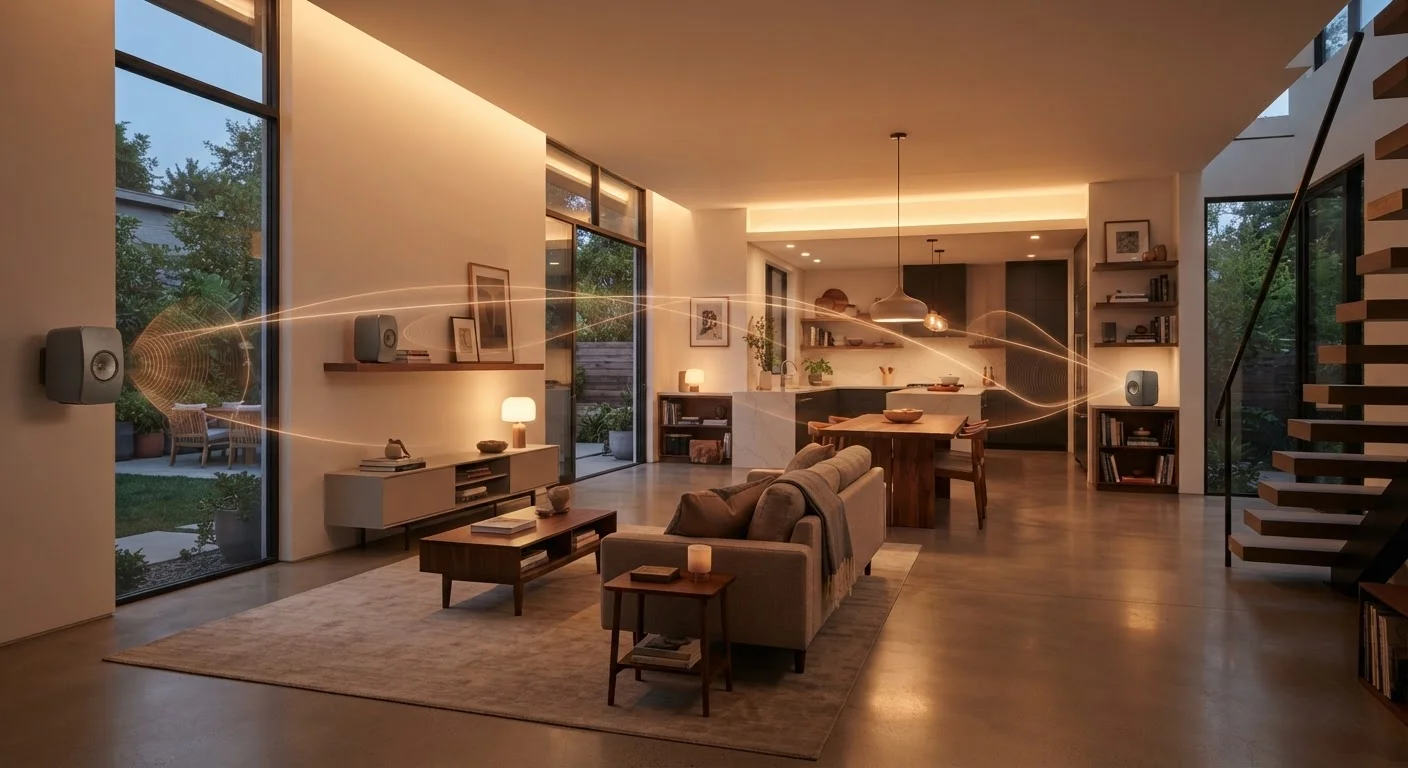
The Core Idea: Zones and Centralized Control
At its heart, a whole-home audio system divides your house into audio zones - typically one per room or area. Each zone has at least one speaker or amplifier, and all zones are connected to a central hub, app, or streaming service that orchestrates what plays where.
Early multiroom systems used dedicated wiring run during construction, with a central amplifier feeding in-wall or in-ceiling speakers throughout the house. Modern systems have largely moved to wireless architectures where each speaker contains its own amplifier, Wi-Fi radio, and processing power. This shift dramatically lowered the complexity and cost of expanding a system room by room.
Zone management is what sets multiroom audio apart from simply owning several Bluetooth speakers. You can group zones together for a party, play different content in each room simultaneously, or set schedules that trigger audio at specific times - all from a single control interface. See how this fits into broader connected home setups in our explainer on smart home ecosystems.
How Synchronization Works - and Why It's Hard
Playing audio in sync across multiple networked speakers sounds straightforward, but it's technically demanding. If two adjacent rooms are even 50 milliseconds out of sync, you'll hear a noticeable echo as sound bleeds through walls or doorways. That small timing gap becomes clearly audible at the boundary between zones.
Modern multiroom systems solve this using a technique called buffered synchronization. Rather than streaming audio continuously and hoping packets arrive at the same time, the system buffers a short segment of audio on each device and coordinates a precise playback timestamp. Every speaker then begins playing at the exact same moment, regardless of minor network fluctuations.
<30ms
Typical inter-speaker sync tolerance
Audio engineers generally consider synchronization within 30 milliseconds as the threshold below which most listeners cannot perceive echo between adjacent zones.
5 GHz
Recommended Wi-Fi band for multiroom audio
The 5 GHz Wi-Fi band offers less interference and more bandwidth than 2.4 GHz, making it better suited to streaming multiple simultaneous audio streams across a home.
1,411 kbps
CD-quality lossless audio bit rate
Standard CD-quality FLAC or ALAC files require roughly 1,411 kbps of throughput - well within the capacity of a stable home Wi-Fi network but notably higher than compressed streaming formats.
This is why dedicated multiroom platforms generally outperform ad-hoc setups using generic Bluetooth speakers grouped by a phone. Proprietary synchronization protocols are engineered specifically for this timing problem.
What Determines Audio Quality in a Multiroom System
Several variables sit between the original recording and the sound that reaches your ears in a multiroom setup:
- Source stream quality: Streaming services vary in their audio bit rates and compression formats. Lossless and high-resolution formats carry more audio data and can reveal differences in better hardware, though the benefit is less audible on smaller speakers.
- Network stability: Packet loss or network congestion on a busy Wi-Fi network can cause dropouts or buffering. A 5 GHz Wi-Fi band or a dedicated Ethernet backhaul to a mesh node typically provides more reliable throughput than a crowded 2.4 GHz band.
- Digital-to-analog conversion (DAC): Inside each networked speaker, a DAC chip converts the digital audio signal into an analog waveform. The quality of this component influences how faithfully the sound is reconstructed.
- Speaker hardware: Driver size, enclosure design, and amplifier power ultimately determine how well the speaker reproduces low, mid, and high frequencies in its physical environment.
For a deeper look at how wireless audio formats affect fidelity, our guide on Bluetooth codecs and audio quality explains the codec landscape in detail.
Improving Network Reliability for Audio
If you experience occasional dropouts in a wireless multiroom system, placing a Wi-Fi mesh node closer to the affected speaker often resolves the issue. Assigning multiroom speakers to your router's 5 GHz band - or a separate IoT network if your router supports it - can also reduce interference from other household devices.
Wired vs. Wireless Multiroom Architectures
The choice between wired and wireless isn't just about convenience - it reflects different priorities around performance, flexibility, and installation effort.
Wired systems use structured audio cabling run through walls to passive speakers, driven by a central amplifier. They are less susceptible to interference, often support higher power output, and don't depend on your router. However, they typically require professional installation and are harder to modify after construction.
Wireless systems rely on your home Wi-Fi network or a mesh network. Individual powered speakers can be placed anywhere with a power outlet and added incrementally. The tradeoff is dependence on network health and the router's ability to handle multiple simultaneous audio streams without degradation.
Many homeowners land on a hybrid approach: wired speakers in dedicated listening rooms where audio quality is the priority, and wireless speakers in kitchens, bedrooms, and outdoor areas where flexibility matters more. For guidance on which rooms benefit most from connected audio, see our room-by-room home technology breakdown.
Ecosystem Compatibility Matters
Most multiroom audio platforms use proprietary protocols, which means speakers from different ecosystems often cannot be grouped together or synchronized. Before expanding a system, verify that new devices are explicitly supported by your existing platform. Mixing ecosystems typically results in separate, non-integrated setups rather than a unified whole-home experience.
Multiroom Audio vs. Home Theater: Different Goals
It's common to confuse whole-home audio with home theater systems, but they solve different problems. A surround sound system is engineered to wrap a single listener in directional audio - dialogue from the center, effects from the sides and rear. Whole-home audio is about distributing independent audio streams to separate physical spaces.
Some multiroom platforms can integrate with a TV zone, so your living room speaker acts as both a stereo music zone and part of a TV listening setup. But purpose-built surround systems will almost always outperform a multiroom speaker for cinematic audio. Our comparison of sound bars vs. surround sound systems covers the home theater side of this decision in detail.
If you're deciding which type of speaker to anchor individual rooms - particularly living rooms and bedrooms - our look at smart speakers vs. smart displays can help clarify which form factor fits each space.
“The real promise of multiroom audio isn't just convenience - it's about making audio a natural part of every space in your home rather than an afterthought confined to one room.”
— Consumer Electronics Association Technical Committee, Industry standards body for residential audio technology
