
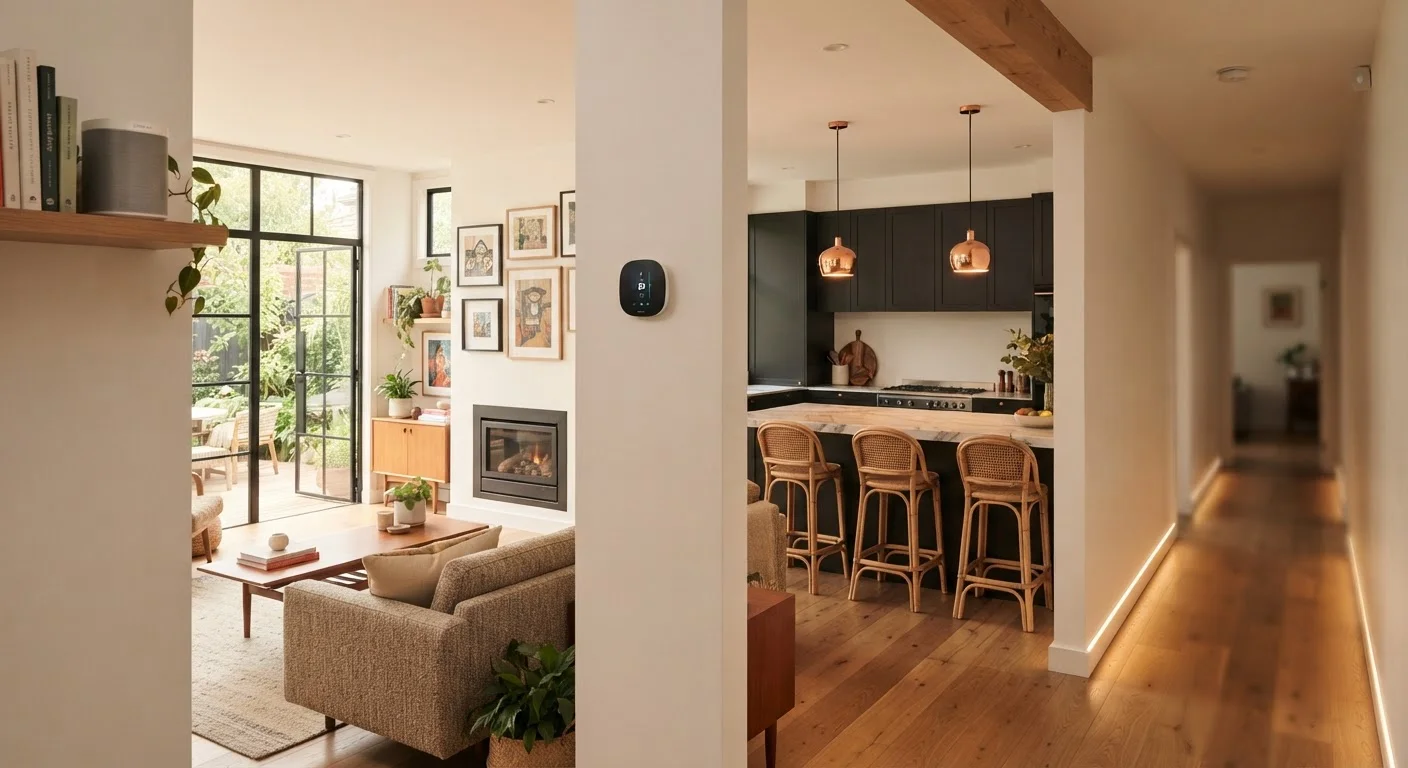
Why Room Context Shapes Tech Value
Smart home technology isn't uniformly useful. A device that transforms a kitchen workflow might be completely redundant in a spare bedroom. Understanding where a particular type of technology fits - and why - is more useful than chasing a comprehensive setup for its own sake.
The room-by-room framework below is built around a single question: does this device solve a real, recurring problem that exists in this space? If the answer is yes, and the setup is manageable, the investment tends to pay off in daily convenience, safety, or reduced utility costs. If the answer is no, the device usually becomes clutter - or worse, a source of friction. For a broader look at how platforms and devices connect before you start, see our first-timer's orientation to smart homes.
Start with a single high-friction problem
Rather than outfitting an entire room at once, identify the single most recurring inconvenience or gap in that space. Solving one real problem well builds confidence and prevents the impulse purchases that lead to fragmented setups. Our guide on common smart home mistakes covers the patterns that make setups frustrating to live with.
Room by Room: Where Tech Earns Its Place
Living Room: Lighting and Entertainment Control
The living room is where most households spend concentrated leisure time, which makes it the most natural starting point for connected technology. Smart lighting - dimmable bulbs or switches that respond to voice commands or schedules - addresses a genuine daily use case: adjusting ambience without getting up, or ensuring lights turn off automatically at night.
Smart displays and speakers fit naturally here too, serving as information hubs, media controllers, and device interfaces. The choice between form factors matters: smart speakers versus smart displays serve overlapping but distinct purposes depending on how the room is used.
Dimmable smart lighting in the living room solves a real daily problem without requiring a complex setup.
Kitchen: Timers, Displays, and Appliance Awareness
Kitchens benefit from hands-free interaction more than almost any other room. A voice-controlled smart display or speaker near the counter handles timers, unit conversions, and recipe steps without requiring a cook to touch a device with wet or messy hands. This is a low-friction, high-frequency use case that translates directly into daily utility.
Smart plugs on small appliances - coffee makers, slow cookers - allow remote scheduling and, critically, remote shut-off. Many households have experienced the anxiety of leaving home uncertain whether an appliance was turned off. A smart plug with energy monitoring eliminates that concern and provides consumption data as a bonus. See how energy monitoring devices work for a fuller picture.
Hands-free voice control in the kitchen addresses a high-frequency, practical need that other rooms rarely share.
Entryways and Front Door: Security and Access
Entry points - front door, garage, main hallway - are where security technology makes the clearest case for itself. A video doorbell provides visibility into who is at the door without requiring physical proximity, a meaningful convenience and safety upgrade for households with children, older adults, or frequent deliveries.
Smart locks add keyless entry and the ability to issue temporary access codes, which is particularly useful for households that frequently host guests, service providers, or family members. Before choosing between camera types for exterior coverage, our wired vs. wireless camera trade-off guide lays out the practical differences clearly.
Entry points are where security technology makes the most unambiguous case for its practical value.
Bedroom: Sleep-Focused Automation
The bedroom's strongest use case for technology is supporting consistent sleep and wake routines. Automated lighting schedules that gradually dim in the evening and brighten at wake time work with natural circadian cues rather than against them - a function that passive manual switching can't replicate. Smart thermostats set to lower overnight temperatures similarly address a documented sleep quality factor.
Beyond those specific applications, the bedroom is a room where technology density should be deliberately limited. Screens, notifications, and always-on devices introduce stimulation that conflicts with rest. The most considered bedroom setups tend to use technology to create conditions for sleep, then step back.
Bedroom tech earns its place when it actively supports sleep conditions - and restraint matters as much as capability.
Home Office: Connectivity and Peripheral Efficiency
For households with dedicated workspaces, the home office has become one of the highest-value rooms for targeted technology investment. Reliable connectivity is the foundation: an underperforming network connection affects every task. Understanding what Wi-Fi 6 actually changes helps clarify whether an upgrade is warranted for your usage patterns.
Beyond connectivity, purpose-specific accessories - external monitors, ergonomic keyboards, quality webcams - often deliver more measurable productivity improvements than smart home features. Our editorial team's guide to home office accessories that genuinely help focuses specifically on peripherals that make a documented difference.
In the home office, reliable connectivity and the right peripherals outperform novelty smart features.
Utility Areas: Energy and Maintenance Monitoring
Basements, utility closets, laundry rooms, and garages often house the infrastructure that costs money when it malfunctions silently. Smart leak detectors near water heaters, washing machines, and under sinks can catch slow leaks before they cause structural damage - a high-value application because the failure mode is invisible until it's expensive.
Whole-home or panel-level energy monitors give households visibility into which systems - HVAC, water heater, large appliances - account for the most consumption. This data pairs usefully with energy efficiency upgrades that move the needle on utility bills to help prioritize where changes would have the most impact.
Leak detectors and energy monitors in utility areas address invisible failure modes that are expensive when missed.
Network quality affects every room equally
Smart devices in every room rely on a stable home network. Dead zones, congestion, and outdated router configurations degrade performance across the board - not just in the room farthest from the router. Organizing a growing device network becomes especially important as device counts increase across multiple rooms.
Before committing to any room's setup, it's worth confirming your home network can support the additional load. A congested or poorly configured router undermines even well-chosen devices. Our guide on what a home router actually does walks through the settings that matter most.
Making It All Work Together
Individual room upgrades add more value when they're part of a coherent system. Devices that can't communicate with each other, or that require separate apps for every function, create more overhead than they eliminate. The emerging Matter smart home standard is designed to address compatibility across brands - worth understanding before you expand a setup significantly.
Automation routines that span rooms - turning off lights and locking doors as part of a single "leaving home" action, for example - are where connected devices genuinely outperform their non-connected equivalents. Our piece on home automation routines that reduce daily friction offers grounded examples built around common household patterns rather than novelty. Renters navigating lease restrictions will also find specific guidance in our smart home checklist for renters.
