
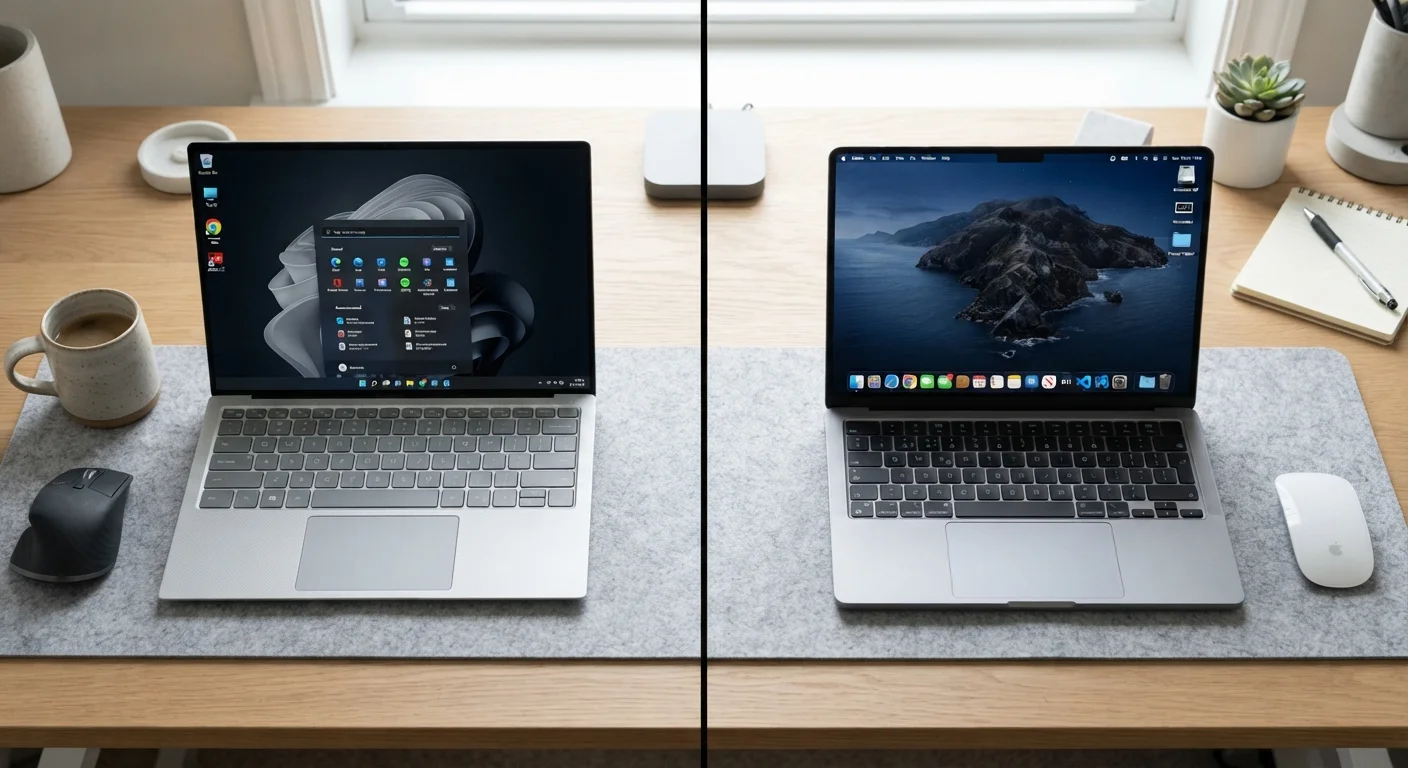
Hardware Choice: Open Field vs. Curated Garden
One of the most fundamental differences between the two platforms has nothing to do with software: it's the hardware itself. Windows runs on machines built by dozens of manufacturers - from budget-friendly options under $300 to high-end workstations exceeding $3,000. That range means you can match hardware precisely to your budget and workload.
macOS, by contrast, runs exclusively on Apple-designed hardware. That constraint comes with a trade-off: Apple controls both the chip and the operating system, which generally results in reliable performance and longevity. Apple's own silicon (the M-series chips) has demonstrated strong performance-per-watt efficiency, though direct comparisons with Windows machines depend heavily on which specific hardware you're evaluating.
If you're also weighing a desktop against a portable machine, see our guide to desktop vs. laptop trade-offs for broader context before committing to either platform.
| Windows | macOS | |
|---|---|---|
| Hardware availability | Many manufacturers, wide price range | Apple hardware only |
| Software catalog breadth | Largest overall, including legacy apps | Strong for creative fields; some gaps |
| Gaming support | Extensive, including most major titles | Growing but significantly more limited |
| Device ecosystem integration | Broad third-party device support | Seamless with iPhone, iPad, Apple Watch |
| Typical update lifespan | Varies by hardware and Windows version | ~7 years from release for most models |
| Customization depth | Highly customizable UI and settings | More constrained, consistent experience |
Software Ecosystem and Compatibility
Software availability is often the deciding factor. Windows has a larger overall catalog, including virtually all professional and enterprise applications, the widest selection of PC games, and most legacy business software. If a niche tool exists, it almost certainly has a Windows version.
macOS has strong coverage for creative professionals - video editors, graphic designers, and musicians have long gravitated toward the platform, and many industry-standard applications have robust Mac versions. However, some specialized software in fields like engineering, architecture, and enterprise IT remains Windows-only.
Web-based tools and cross-platform applications (browsers, productivity suites, communication apps) work comparably on both platforms, narrowing the gap for everyday users considerably. If you're curious how a more limited software model compares, our article on Chromebook vs. Windows is worth reading.
Check Your Must-Have Software First
Before choosing a platform, list every application you rely on and verify it has a native version for that OS. Virtualization (running Windows on a Mac, or vice versa) is possible but adds cost and complexity. A five-minute compatibility check can prevent a frustrating post-purchase discovery.
Ecosystem Integration and Peripheral Compatibility
macOS shines when you already use an iPhone, iPad, or Apple Watch. Features like Handoff (starting a task on one device and continuing on another), AirDrop file transfers, and Universal Clipboard work seamlessly across Apple devices. This integration is a genuine productivity advantage for users inside that ecosystem.
Windows connects more broadly with the wider world of third-party peripherals and accessories. Most printers, webcams, external drives, and input devices are designed with Windows compatibility as the baseline. While macOS supports the majority of common peripherals, niche or enterprise hardware sometimes lacks Mac drivers entirely.
Keyboard shortcuts differ between the two platforms in meaningful ways, and learning the conventions of whichever system you use will reduce daily friction significantly.
Security, Updates, and Long-Term Support
Both platforms take security seriously, but their approaches differ. macOS benefits from a smaller market share (making it a less frequent target for malware) and Apple's tighter control over what software can be installed by default. Windows, with its dominant market share, faces a broader threat landscape and has historically been the more common target for malicious software - though Microsoft has significantly strengthened its built-in defenses over time with Windows Defender and other tools.
Update cadences differ as well. Apple typically supports Mac hardware with software updates for around seven years from release, though this varies by model. Microsoft supports Windows 10 and 11 on a defined schedule, with hardware requirements for newer versions sometimes leaving older machines behind.
Don't Ignore Switching Costs
Moving from one platform to the other involves more than learning new keyboard shortcuts. File formats, software licenses, and peripheral compatibility all require attention. Data migration - especially for large photo libraries or complex folder structures - can take significant time. Factor this effort into your decision before switching, not after.
For users making the leap to Apple hardware, our walkthrough for setting up a new Mac covers the initial configuration steps to get you running smoothly.
~72%
Global desktop OS market share held by Windows
According to StatCounter's global desktop operating system data, Windows consistently holds the majority of market share worldwide as of recent tracking periods.
~15%
Global desktop OS market share held by macOS
StatCounter data places macOS as the second-most-used desktop operating system globally, with its share having grown steadily over the past decade.
