
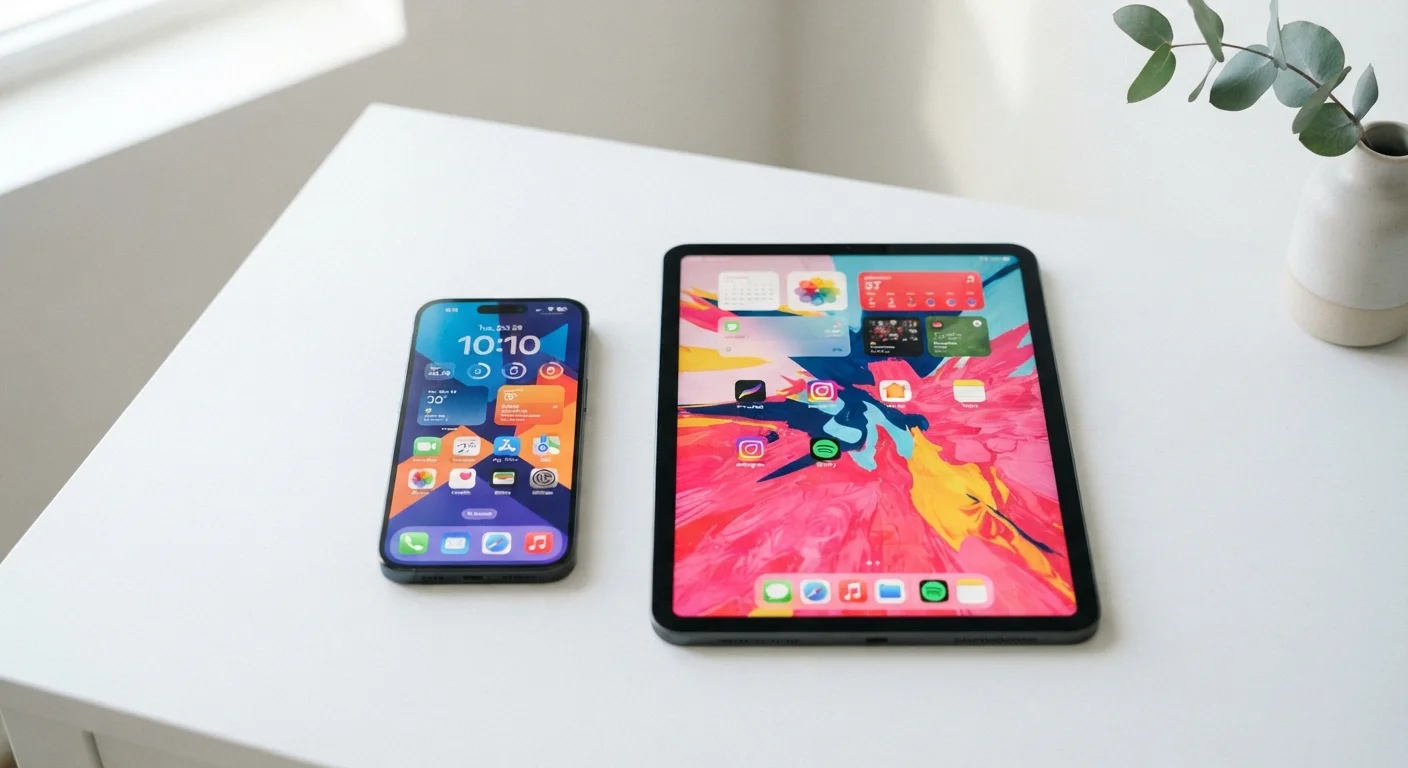
The Core Difference: Form Factor and What It Means Daily
At their core, smartphones and tablets are both touchscreen computing devices running mobile operating systems - but their form factors lead to fundamentally different daily experiences. A smartphone typically fits in a pocket and weighs under seven ounces. A tablet, with screens generally ranging from 8 to 13 inches, is a two-handed device meant to rest on a surface or be cradled in your lap.
That size gap has cascading effects. Smartphones are nearly always within arm's reach, making them the default choice for quick tasks: checking a message, pulling up directions, or scanning a boarding pass. Tablets, by contrast, invite a more deliberate, focused mode of use - you sit down with a tablet rather than glancing at it on the move.
If you're also weighing whether a tablet could replace a laptop for more demanding work, our comparison of tablet vs. laptop use cases digs into that question directly.
| Criterion | Smartphone | Tablet |
|---|---|---|
| Portability | Pocket-sized, always on you | Bag-sized, intentional use |
| Cellular connectivity | Standard on all models | Optional, often costs extra |
| Screen size | 5-7 inches typical | 8-13 inches typical |
| Phone calls & SMS | Native, tied to your number | App-based only, over Wi-Fi |
| Media consumption | Functional but compact | Comfortable and immersive |
| Camera quality | Primary photo/video device | Secondary, often less capable |
| Light productivity | Limited by screen size | Strong with keyboard accessory |
| Battery life | Typically one day | Often longer due to larger battery |
Connectivity, Communication, and Being Reachable
One of the clearest practical divides between smartphones and tablets is cellular connectivity. Virtually every smartphone comes with built-in LTE or 5G, meaning it works independently of Wi-Fi anywhere you have a carrier signal. Most tablets, however, are sold in Wi-Fi-only configurations. Cellular-capable tablet models exist, but they typically cost more and still require a separate data plan.
For communication - calls, texts, messaging apps - smartphones remain the undisputed standard. Your phone number ties directly to the device. While tablets can run messaging and video-call apps over Wi-Fi, they aren't substitutes for the immediacy and ubiquity of a phone. If staying reachable at all times is a priority, no tablet configuration fully replaces a smartphone.
97%
U.S. adults who own a smartphone
According to Pew Research Center surveys, smartphone ownership among American adults has reached near-saturation, reflecting the device's role as a communications essential.
~52%
U.S. adults who own a tablet
Pew Research Center data shows tablet ownership remains strong but significantly lower than smartphones, highlighting that tablets occupy a supplementary rather than primary role for most users.
That said, for video calls specifically - whether for remote work or staying in touch with family - a tablet's larger screen offers a noticeably more natural, face-to-face feel that a smartphone's small display can't match.
Content Consumption, Creativity, and Comfort
Screen real estate matters enormously for certain tasks. Streaming a film, reading an e-book, browsing a news site, or video-calling a relative all feel more comfortable on a tablet's larger display. Studies on screen size and reading comprehension consistently find that readers retain more and report less fatigue when text is presented at a more generous size - a natural advantage of tablets.
For light creative tasks - sketching with a stylus, editing photos, annotating documents - tablets also hold a significant edge. The additional surface area and, on some models, stylus support open up workflows that are impractical on a phone's compact screen.
Stylus Support Varies Widely by Model
Not all tablets support active stylus input - this feature is specific to certain models and manufacturers. If stylus functionality is important to your workflow, confirm compatibility before purchasing. Similarly, stylus accessories are often sold separately and add to the total cost of ownership.
Smartphones, however, are far more capable creative tools than they were even five years ago. Camera systems on modern smartphones often outperform standalone cameras in convenience, and short-form video editing apps are designed specifically for phone-sized screens. For photography and social media creation, smartphones remain the more practical choice.
If you're thinking about the operating system experience on either device type, our breakdown of Android vs. iOS differences covers how each platform handles apps, privacy, and usability across devices.
Do You Need Both - or Just One?
For many households, smartphones and tablets are complementary rather than redundant. A smartphone handles the always-on, always-connected role during the day, while a tablet serves as a home-based screen for relaxed browsing, reading, or family entertainment in the evening. This pairing is particularly common and effective.
If budget or practicality pushes you to choose just one, the decision comes down to lifestyle. If you're rarely home, commute frequently, or rely heavily on your device for communication and navigation, a smartphone is the non-negotiable choice. If you spend most of your time in fixed locations - at home, at a desk, or in settings with reliable Wi-Fi - and your communication needs are modest, a tablet can cover more ground than you might expect.
Those considering a tablet as a primary device alongside a desktop or laptop may also find it useful to weigh a desktop vs. laptop comparison first, to understand where each screen fits within a broader device ecosystem. For a deeper look at choosing the right tablet specifically, our guide on tablet buying considerations walks through screen size, OS, and intended use without the brand hype.
