
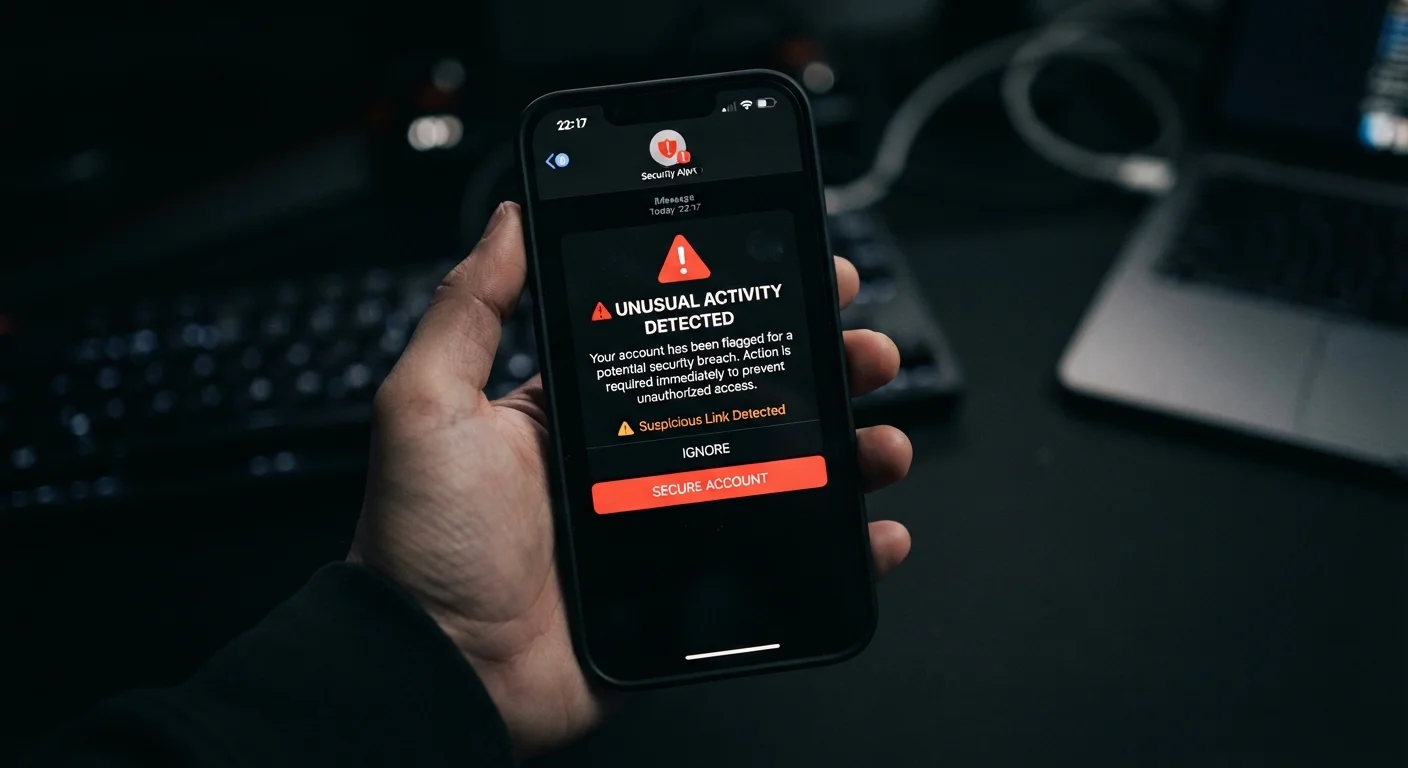
What Is Smishing and Why It Works
Smishing - a portmanteau of SMS and phishing - is a form of social engineering in which fraudsters send text messages that impersonate banks, delivery services, government agencies, or other trusted entities. The goal is typically to trick recipients into clicking a malicious link, revealing sensitive credentials, or calling a fraudulent callback number.
Text messages carry a trust advantage that email has largely lost: most people still associate SMS with direct, personal communication. Open rates for text messages are significantly higher than for email, and most people read a new text within minutes of receiving it. Scammers exploit this immediacy deliberately.
Smishing is part of a broader category of mobile security threats that every smartphone owner faces. Understanding how these attacks are constructed is the first step toward recognizing them reliably.
Use Your Carrier's Built-In Spam Tools
Most major U.S. carriers offer free spam-filtering tools that flag or block suspected smishing messages automatically. Check your carrier's app or account settings to enable this feature. Pairing it with your phone's native message filtering (available on both iOS and Android) adds a second layer of protection.
How to Identify and Respond to a Suspicious Text
The steps below walk you through a systematic approach - from the moment a suspicious text lands to reporting it properly. Having this process in mind before an attack arrives means you are less likely to react impulsively when scammers manufacture urgency.
What you will need
Pause before you tap anything
The moment a text triggers any sense of urgency - a package held at customs, a frozen bank account, a prize you didn't enter - treat that feeling as a warning signal. Scammers deliberately manufacture time pressure to short-circuit rational thinking. Take a breath and do not interact with any link or phone number in the message yet.
Examine the sender's number and display name
Look at the number or short code the text came from. Smishing messages often originate from standard 10-digit numbers, random strings, or slightly misspelled alphanumeric sender IDs designed to mimic a known brand. A real bank or federal agency will use a consistent, verifiable short code - never a random cell number. Search the number independently to see if others have flagged it as fraudulent.
Read the message for classic smishing signals
Scan the text for these hallmarks:
- Urgent or threatening language - 'Your account will be suspended in 24 hours.'
- Requests for personal data - passwords, Social Security numbers, card numbers, or one-time codes.
- Unexpected windfalls - prize notifications, refunds, or government payments you never requested.
- Spelling and grammar errors - inconsistencies that a real corporate communication team would catch.
- Generic greetings - 'Dear Customer' instead of your actual name.
The presence of even one of these elements warrants caution; multiple signals together make fraud very likely.
Inspect any link - without clicking it
On most smartphones you can press and hold a link to preview the destination URL without opening it. Look for subtle misspellings in the domain (amaz0n-support.com instead of amazon.com), extra subdomains, or URL shorteners that obscure the real destination. Legitimate companies typically use their primary registered domain, not a third-party shortener or an unrelated domain.
Verify directly through official channels
If you genuinely think the message might be real - say, a shipping update from a carrier you use - go directly to the company's official website by typing the address yourself, or call the phone number printed on your card or statement. Never use contact information embedded in a suspicious text. This step protects you even when a smishing message is sophisticated enough to pass earlier checks.
Report the message and block the sender
Forward the suspicious text to 7726 (SPAM) - a shortcode supported by most U.S. carriers that routes smishing reports to carrier fraud teams. You can also report smishing to the FTC at ReportFraud.ftc.gov and to the FBI's Internet Crime Complaint Center (IC3). After reporting, block the sender through your phone's native messaging app so the number cannot contact you again.
Never Enter Credentials via a Text Link
Legitimate banks, government agencies, and major retailers do not ask you to confirm account credentials or payment details through a text message link. If you receive such a request - no matter how convincing - navigate directly to the organization's official website or call their published number. Entering information through a smishing link can result in immediate account compromise.
Pairing this habit with strong account security compounds the protection significantly. Enabling two-factor authentication on your accounts means that even if a scammer obtains your password through a smishing link, they still cannot access your account without the second verification step.
Staying Ahead of Smishing Attempts
No single measure eliminates smishing risk entirely, but a layered approach reduces it substantially. Beyond the steps above, review your phone's privacy and permission settings regularly - limiting what data apps can access also limits what a compromised account can expose. Our guide to privacy settings every smartphone owner should review covers the most impactful controls on both iOS and Android.
Replying Can Confirm Your Number Is Active
Responding to a suspicious text - even with 'STOP' or 'NO' - can signal to scammers that your number is monitored and active. This often leads to an increase in scam attempts. If a message looks fraudulent, do not reply; report it and block the sender.
Finally, be skeptical of any unsolicited contact that asks you to act quickly. Scam campaigns evolve constantly - delivery-notification lures spike around major shopping periods, tax-related scams peak in spring - but the underlying psychology remains the same: urgency plus authority plus a convenient link. Recognizing that pattern is your most durable defense.
