
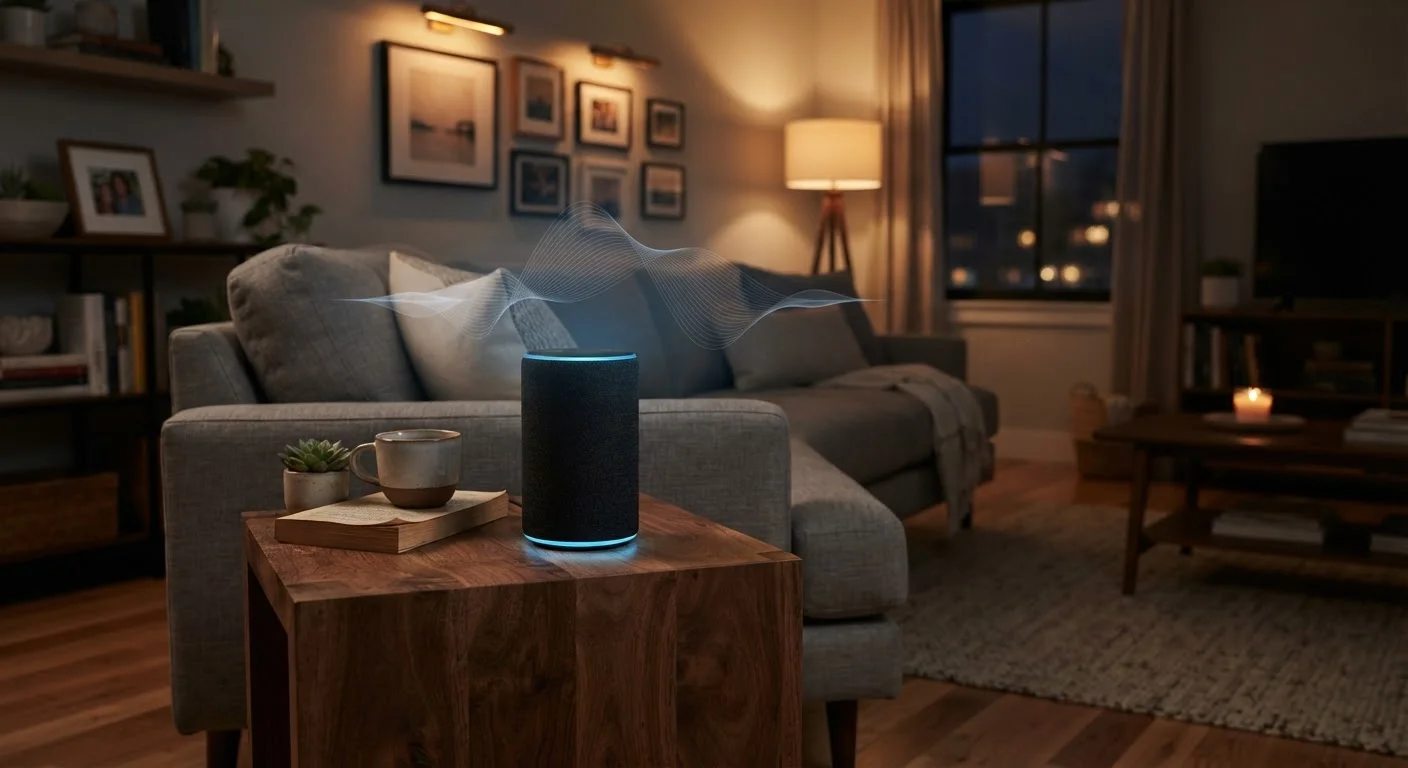
How Voice Assistants Actually Listen
Every mainstream voice assistant - whether built into a smart speaker, a smart display, or a smartphone - operates on the same fundamental model: the device continuously processes ambient audio at a local level, listening exclusively for its designated wake word (such as "Hey " or "Alexa"). Only after detecting that trigger phrase does the device transmit audio to the company's cloud servers for processing.
In practice, this means the microphone is always on in a limited sense - it must be, in order to catch the wake word. The audio processed before a wake word is detected is generally not sent to the cloud, but it is being analyzed locally in real time. Accidental activations do occur, where background conversation or media audio resembles the wake word closely enough to trigger a recording. These incidents are documented and represent one of the core tensions in how this technology is designed.
How Wake Words and Cloud Processing Work
When a voice assistant detects its wake word, the audio from that moment forward is typically packaged and sent to the company's cloud servers, where natural language processing interprets the request and generates a response. The local chip handling wake-word detection is generally a lower-power processor distinct from the cloud infrastructure. This architecture is why deleting cloud recordings and using a physical mute button are the two most impactful privacy actions a user can take.
For readers curious about how connected devices handle data more broadly, understanding cloud dependency risks in smart home devices adds important context to any voice assistant decision.
The Pros: Where Voice Assistants Genuinely Deliver
The appeal of voice assistants is not purely marketing - there are substantive benefits that explain their widespread adoption.
Hands-free convenience for everyday tasks
Setting timers, playing music, checking the weather, and controlling smart home devices without touching a screen reduces friction during cooking, exercise, or multitasking.
Significant accessibility benefits
For individuals with motor impairments, low vision, or cognitive differences, voice control offers an interface that touchscreens and keyboards cannot replicate.
Smart home integration and automation
Voice assistants serve as a hub for controlling lights, thermostats, locks, and appliances - consolidating control across devices that would otherwise require separate apps.
Improving on-device processing reduces cloud exposure
Several platforms have introduced on-device voice processing for common commands, meaning less audio is transmitted to remote servers than in earlier generations of the technology.
For users with mobility limitations, vision impairments, or conditions that make screen interaction difficult, voice control can be transformative. Smartphone accessibility features illustrate how voice interfaces extend well beyond convenience into essential functionality for many people.
The Cons: Real Privacy Risks Worth Weighing
The trade-offs are equally concrete. Consumers deserve a clear-eyed view of the risks before placing a always-on microphone in their home.
Microphone is always listening for wake word
The continuous local audio monitoring required to detect wake words means private conversations occurring near the device are always within its processing range, even if they're not recorded.
Accidental activations can capture unintended audio
Background noise, TV dialogue, or similar-sounding phrases can trigger wake-word detection, causing snippets of private conversation to be sent to and stored on company servers.
Data retention policies vary and can be opaque
How long voice recordings are stored, who can access them, and under what legal circumstances they may be disclosed to third parties differs by platform and is often buried in lengthy privacy policies.
Third-party skill and app data practices differ
When a voice assistant connects to a third-party service - a recipe app, a shopping service - that third party's data practices apply, adding a layer of privacy exposure beyond the primary platform.
Default settings favor data collection
Out-of-the-box configurations on most devices prioritize service improvement through data collection; achieving greater privacy typically requires deliberate, manual adjustment by the user.
1 in 4
U.S. adults with a smart speaker at home
According to Pew Research Center survey data, roughly a quarter of American adults report owning a smart speaker, reflecting how widely this technology has entered domestic spaces.
~19%
Of activations may be accidental triggers
Research published by Northeastern University and Imperial College London found that smart speakers can activate unintentionally, with accidental recordings varying by device and environment.
Choosing where to place a device matters, too. A voice assistant in a bedroom or bathroom carries meaningfully different privacy implications than one in a kitchen. For a deeper look at how placement intersects with device choice, see smart speakers vs. smart displays by room.
Controls That Actually Exist - and Their Limits
Most major voice assistant platforms now offer several user-facing privacy controls. Understanding what these controls do - and what they don't - is essential for making an informed decision.
- Voice history review and deletion: Platforms typically allow users to access, listen to, and delete stored voice recordings through a companion app or web dashboard. Deleting recordings removes them from your account but may affect the assistant's ability to recognize your voice or personalized preferences.
- Microphone mute buttons: Physical mute buttons on smart speakers cut the microphone at the hardware level - a more reliable option than software-based muting. When the mute button is engaged, the device cannot hear the wake word.
- Opt-out of human review: Some platforms previously used human contractors to review voice snippets to improve accuracy. Most now allow users to opt out of this program, though doing so may reduce personalization.
- On-device processing: Some newer devices and software updates have moved certain voice processing tasks on-device rather than to the cloud, reducing the volume of audio transmitted externally.
Default settings across platforms tend to favor data collection that improves services. Consumers who want to minimize their data footprint will generally need to actively seek out and adjust these settings rather than relying on out-of-the-box configurations. Our guide on smartphone privacy settings shows how this same principle applies across connected devices. When you're ready to go deeper, reading a smart device's privacy policy can help you evaluate what a manufacturer actually commits to in writing.
