
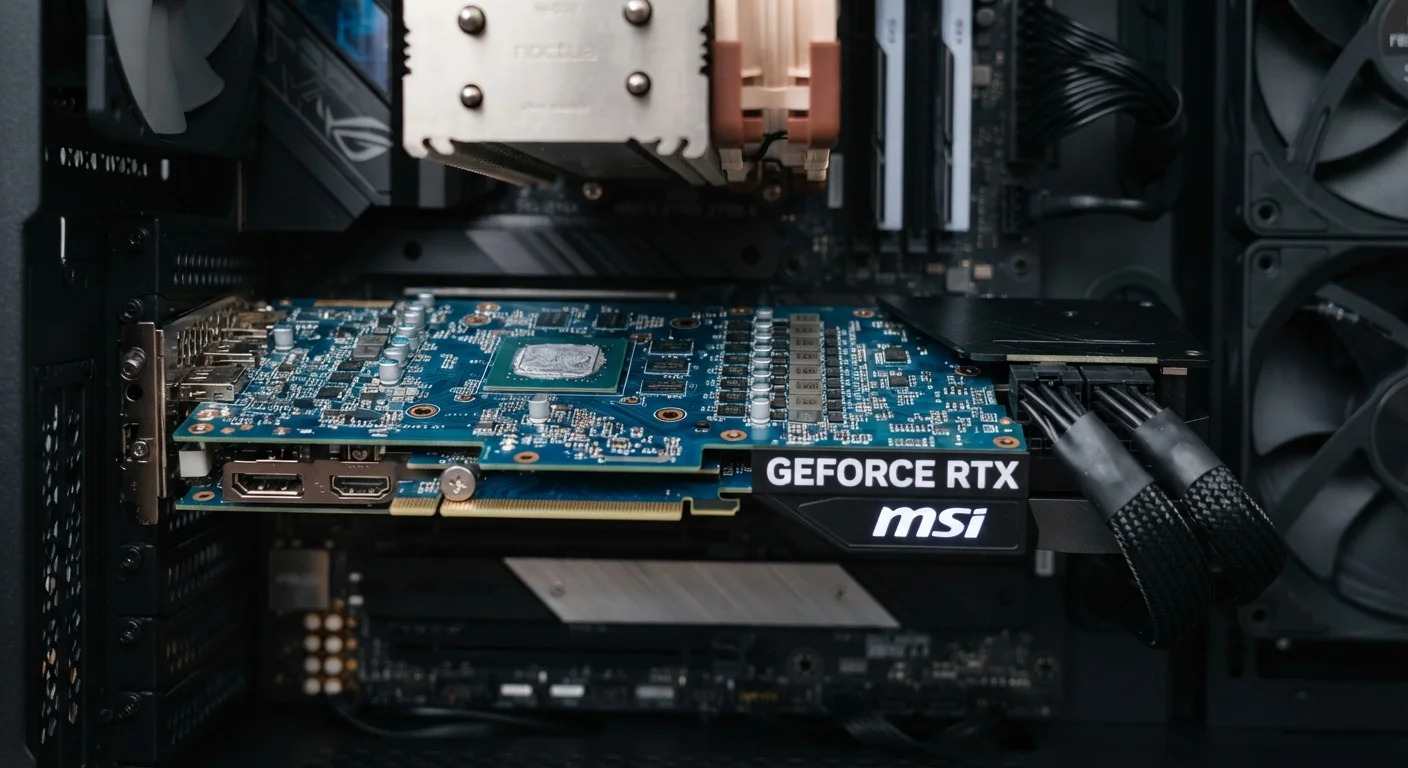
The GPU's Job: Parallel Processing at Scale
Your computer's CPU excels at handling complex tasks one after another - managing your operating system, running applications, and responding to your inputs. But rendering visuals is fundamentally different: displaying a single frame on a 1080p monitor requires calculating the color, brightness, and position of over two million pixels, all at once, many times per second.
That's what a GPU is built for. Rather than a handful of powerful cores, GPUs contain thousands of smaller cores optimized to run many simple calculations simultaneously. This parallel processing architecture makes the GPU dramatically faster than a CPU at anything involving graphics - from displaying your desktop to rendering a 3D scene in a game or animation software.
For a broader look at how the GPU fits alongside other components, see our plain-English guide to everything inside your computer.
2,073,600
Pixels rendered per frame at 1080p
At 60 frames per second, a GPU calculates color and brightness for each pixel over 124 million times per second at 1080p resolution.
~16,384
Processing cores in high-end desktop GPUs
Modern high-end discrete GPUs can contain thousands of shader cores operating in parallel, compared to typically 8-24 cores in a consumer CPU.
4-16 GB
Typical VRAM range in dedicated GPUs
VRAM capacity in dedicated graphics cards varies widely; higher-resolution and more complex workloads generally require more VRAM to avoid performance drops.
Integrated vs. Dedicated: What's Actually Inside Your Machine
Every computer ships with one of two GPU configurations - and understanding the difference is the key to knowing whether you need to think about upgrading.
Integrated Graphics
Integrated graphics are built directly into the CPU chip. They draw on a portion of your system's regular RAM to do their work. This approach is power-efficient, generates less heat, and is perfectly capable for everyday computing tasks. Most thin laptops and budget machines use integrated graphics.
Dedicated (Discrete) Graphics
A dedicated GPU is a separate component - either a card installed in a desktop's PCIe slot or a discrete chip in a laptop - with its own dedicated memory called VRAM. Because it doesn't compete with the CPU for system RAM, it can handle far more visually intensive workloads without slowing other applications down.
VRAM Is Not the Same as RAM
System RAM (used by your CPU and integrated graphics) and VRAM (on a dedicated GPU) are separate pools of memory. Running out of VRAM causes a dedicated GPU to pull from slower system RAM, which can sharply reduce performance. This is why VRAM capacity matters for demanding visual tasks.
Understanding how your GPU interacts with other specs is worth knowing before any purchase. Our guide on RAM, storage, and processing power covers how these components work together in laptops.
When You Actually Need a Dedicated GPU
The honest answer for many readers: you may not need one. But here's where integrated graphics genuinely fall short:
- PC gaming: Modern games require real-time rendering of complex 3D environments. Even mid-range games will struggle on integrated graphics, producing low frame rates and visual artifacts.
- Video editing and color grading: Editing software increasingly offloads rendering and effects processing to the GPU. A dedicated card cuts export times significantly and makes the editing timeline more responsive.
- 3D modeling and animation: Applications like CAD tools and animation suites rely heavily on GPU acceleration for viewport rendering.
- AI and machine learning tasks: Consumer AI tools - from image generation to local language models - often use the GPU for computation. Integrated graphics can bottleneck these workflows severely.
- High-resolution or multi-monitor setups: Driving a 4K display or multiple screens simultaneously puts more demand on your graphics hardware. Learn what to consider before adding a second monitor, including GPU requirements.
Check Before You Buy: Test Integrated Graphics First
If you're unsure whether you need a dedicated GPU, consider using a machine with integrated graphics for your intended workload before committing. Many tasks people assume require a dedicated card - like light photo editing or casual video calls - run perfectly well on modern integrated graphics. Paying for GPU power you won't use adds unnecessary cost and, in laptops, reduces battery life.
Desktop vs. Laptop: GPU Flexibility
One of the most meaningful differences between desktops and laptops is what happens to GPU performance over time. Desktop GPUs are generally upgradeable - as your needs evolve, you can install a more capable card. Laptop GPUs are almost always fixed at the time of purchase.
Laptop dedicated GPUs also typically operate at lower power levels than their desktop counterparts with similar names, due to thermal and battery constraints. A "performance" GPU label on a laptop spec sheet may represent meaningfully different real-world performance than the same chip in a desktop.
If flexibility and long-term upgradeability matter to you, our article on desktop vs. laptop trade-offs walks through how to weigh those considerations honestly.
