
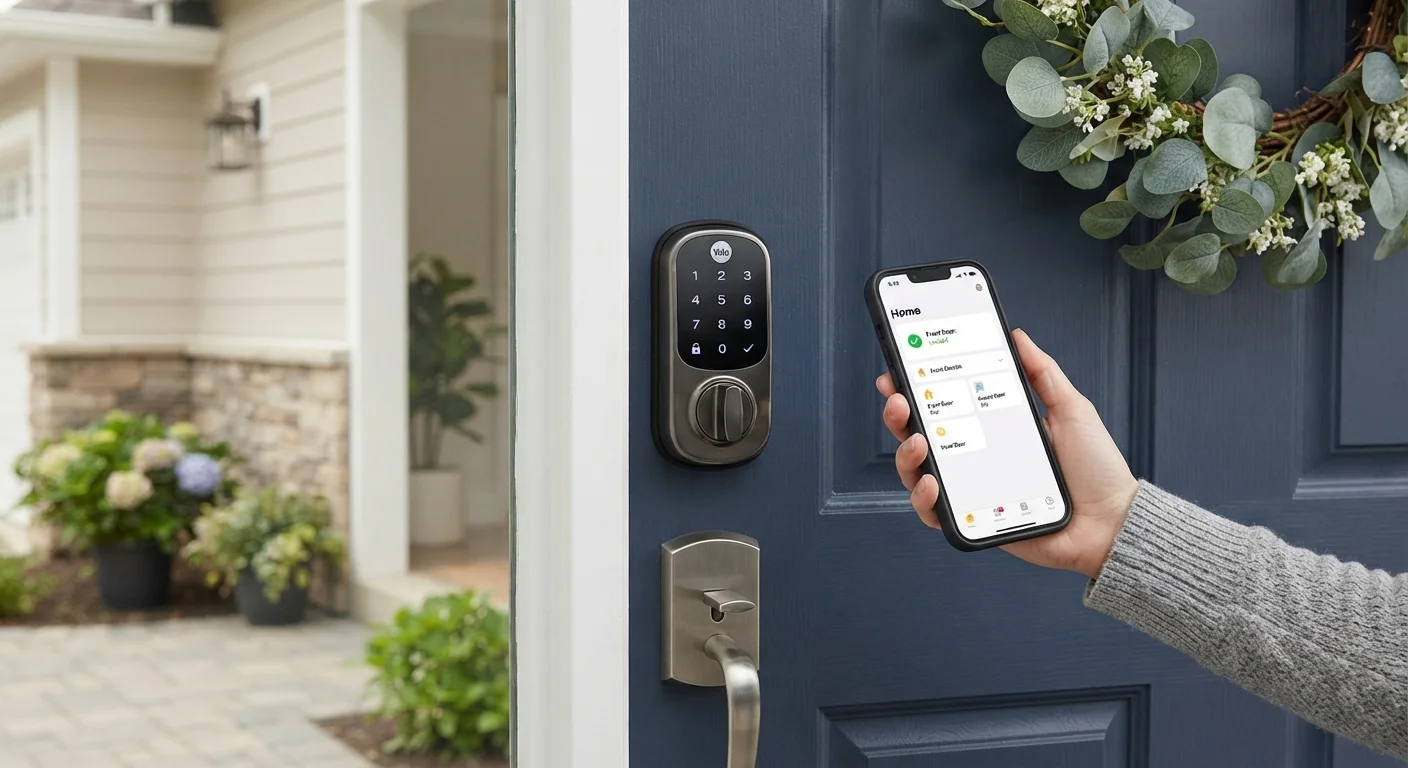
How Smart Locks Actually Work
A smart lock replaces or augments the locking mechanism inside a standard deadbolt, keeping the same bolt and strike plate but swapping out the cylinder or thumb-turn for an electronic assembly. That assembly communicates wirelessly - typically via Bluetooth, Z-Wave, Zigbee, or Wi-Fi - with a smartphone app, a home hub, or both.
Access is granted through one or more methods: a PIN keypad, a smartphone tap or proximity detection, a key fob, a voice assistant command, or - in some models - a biometric fingerprint reader. To understand how fingerprint-based authentication works more broadly, see our guide on biometric authentication on smartphones.
When you unlock remotely through an app, the command travels from your phone to the manufacturer's cloud server, then to a Wi-Fi-enabled lock or a connected hub, which sends a signal to the lock itself. That cloud dependency is worth noting: if the manufacturer discontinues their service, remote features may stop working entirely. Our article on the longevity problem with smart home devices explains this risk in depth.
Installation Requirements You Should Know Before Buying
Most smart locks are designed to fit standard single-cylinder deadbolt preparations - the 2⅛-inch bore hole found on the majority of American residential doors. However, the interior depth of the door and the backset distance (typically 2⅜ or 2¾ inches) must match the lock's specifications. Thick or non-standard doors, including many steel exterior doors, may need adapters or are simply incompatible with certain models.
Power comes almost universally from AA or AAA batteries housed in the interior assembly. Most locks display low-battery alerts in the app and on the keypad before failure, but if you ignore those warnings, a dead lock is a genuine possibility. Some models support an emergency 9V battery contact on the exterior for exactly this scenario.
Inheriting a Smart Lock From a Previous Owner
If you're moving into a home that already has smart locks installed, reconfiguring access from scratch is essential - previous owners, tenants, or contractors may still have active credentials. Our checklist on moving into a new home with existing smart devices covers what to reset and reconsider before trusting inherited smart tech.
If you're moving into a home that already has smart locks installed, reconfiguring access from scratch is essential. Our checklist on moving into a new home with existing smart devices covers what to reset and reconsider before trusting inherited smart tech.
The Advantages Worth Considering
Smart locks solve a specific set of real problems: you can grant a dog walker a time-limited code without making a physical key, let in a contractor while you're at work, or lock your door from across town if you forgot. Audit logs - a record of who entered and when - add a layer of accountability that a traditional key cannot provide.
Keyless entry eliminates lost or copied key risk
Physical keys can be duplicated without your knowledge or simply lost. Codes and digital credentials can be revoked instantly without rekeying.
Remote access and locking from anywhere
Wi-Fi-enabled models allow you to lock or unlock from any location, useful for managing deliveries, guests, or a forgotten door.
Temporary, time-limited access codes for guests
You can issue a code that expires after a single use or a defined window, giving access to service providers without sharing a permanent credential.
Access logs provide an entry history
Most smart lock apps record who used which credential and when, which can be useful for household oversight or confirming a delivery arrived.
Integration with smart home systems
Compatible locks can trigger routines - turning on lights when you unlock, or locking automatically at a set time - through platforms like Matter, Z-Wave, or Zigbee.
For households managing multiple people's schedules, the convenience argument is strong. The elimination of physical key duplication also removes one common security vulnerability.
The Risks and Disadvantages to Weigh
The same connectivity that makes smart locks useful also introduces attack surfaces that traditional locks don't have. Researchers have documented vulnerabilities in Bluetooth and Wi-Fi lock protocols, though most reputable manufacturers release firmware patches to address them. The key word is most - and only for as long as the product is actively supported.
Battery failure can lock you out entirely
If batteries die without warning and the lock has no mechanical key override, re-entry may require a locksmith. Monitoring battery levels is a maintenance requirement, not an option.
Cybersecurity vulnerabilities are real
Wireless communication protocols used by smart locks have been shown to have exploitable weaknesses in academic and independent security research. Keeping firmware updated is essential but not always sufficient.
Cloud service discontinuation can kill remote features
If a manufacturer stops supporting their app or server infrastructure, remote access and some local features may stop working, even though the physical lock remains installed.
Not compatible with all door types
Non-standard bore holes, thick doors, or certain multi-point locking systems found on some exterior doors are incompatible with most consumer smart lock models.
Adds complexity to an already-working system
A traditional deadbolt is mechanically simple and reliable for decades. Every added component - radio, firmware, battery, app - is an additional point of potential failure.
~85%
Smart locks requiring battery power
The vast majority of residential smart locks rely entirely on battery power with no hardwired option, according to product category surveys by consumer electronics analysts.
3-5 years
Typical smart device software support window
Industry observers note that many smart home device manufacturers provide firmware and app support for roughly three to five years before discontinuing a product line.
Beyond cybersecurity, there is the dependency problem. A traditional deadbolt works as long as the metal is intact. A smart lock requires charged batteries, functional firmware, and - for remote features - an active cloud service. Understanding how to maintain and plan for each of these dependencies is the core responsibility of smart lock ownership.
