
The Simplest Way to Think About It
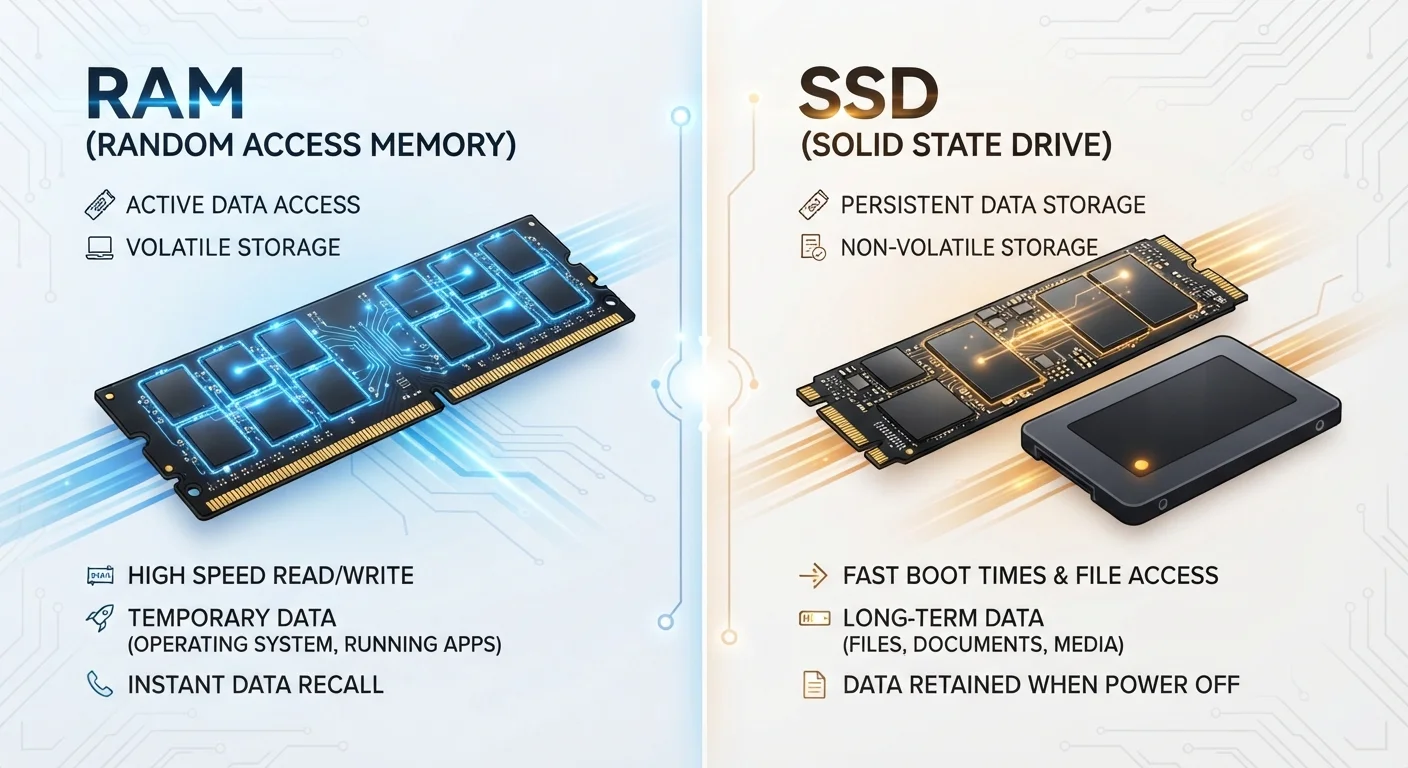
Imagine your computer as a physical desk in an office. Your storage is the filing cabinet against the wall - it holds everything: your documents, installed software, photos, and the operating system itself. Your RAM (memory) is the desktop surface - the active workspace where you spread out only what you're working on right now.
You can have a massive filing cabinet and still struggle if your desk is too small to hold all the papers you're juggling at once. Conversely, a huge desk doesn't help if you have nowhere to file things away. Both matter; they just do completely different jobs.
Quick Check: Which Spec Are You Looking At?
When reviewing computer specs, RAM is typically listed in gigabytes with 'GB RAM' or 'GB Memory,' while storage is listed separately as 'GB SSD' or 'TB HDD.' If an ad lists only one large number, look carefully - a '512 GB' figure almost always refers to storage, not memory.
What RAM Actually Does
RAM - short for Random Access Memory - is ultra-fast temporary storage that your processor uses to access data it needs right now. When you open a browser, edit a photo, or switch between apps, those active processes live in RAM. The more RAM your system has, the more it can handle simultaneously without slowing down.
Crucially, RAM is volatile: it holds no information once power is removed. Think of it as a whiteboard that gets wiped clean every time you shut down. This is why applications need to save data to storage - RAM alone cannot preserve anything.
1,000x+
Speed advantage of RAM over SSD storage
RAM operates in nanoseconds while even fast NVMe SSDs operate in microseconds, making RAM far faster at delivering data to the CPU.
8 GB
Common baseline RAM for everyday computing
Most mainstream consumer laptops and desktops ship with 8-16 GB of RAM for general productivity and web use.
0 bytes
Data retained in RAM after power off
RAM is fully volatile - every byte it holds is lost the moment the computer loses power, regardless of how much was stored.
What Storage Actually Does
Storage - whether a traditional hard drive (HDD) or a solid-state drive (SSD) - is non-volatile, meaning it retains data without power. Every file you download, every app you install, and the operating system itself all live on your storage drive.
When you open a program, your computer reads the necessary data from storage into RAM so the processor can work with it quickly. The larger your storage drive, the more you can save. The faster your storage drive (an SSD vs. an older HDD), the quicker those load times feel. For more on how storage formats affect compatibility across devices and operating systems, see our file systems explainer.
When the Two Get Confused - and Why It Matters
Mixing these concepts up leads to real purchasing and troubleshooting mistakes. A computer advertised with "512 GB" has a large storage drive - that does not tell you it is fast at multitasking. A machine with "16 GB" may be referring to RAM, indicating strong multitasking capability, not necessarily large file capacity.
When RAM fills up, modern operating systems use a technique called virtual memory - borrowing space from the storage drive to compensate. Because storage is orders of magnitude slower than RAM, this causes the noticeable sluggishness people associate with an overloaded computer. If you are curious whether more RAM would actually fix a slow machine, the answer is not always straightforward.
The same distinction applies to smartphones and tablets. Our smartphone storage explainer walks through how the two interact on mobile devices, where spec sheets can be equally confusing.
Understanding the difference also makes comparing systems more meaningful. For a broader look at how operating system choices shape the experience built on top of this hardware, our Windows vs. macOS comparison covers the practical day-to-day distinctions.
Virtual Memory Is a Safety Net, Not a Feature
When your operating system uses virtual memory - borrowing storage space to supplement RAM - it keeps the computer functional but at a significant speed cost. If you regularly notice your system becoming very slow under normal workloads, insufficient RAM is a likely culprit worth investigating.
