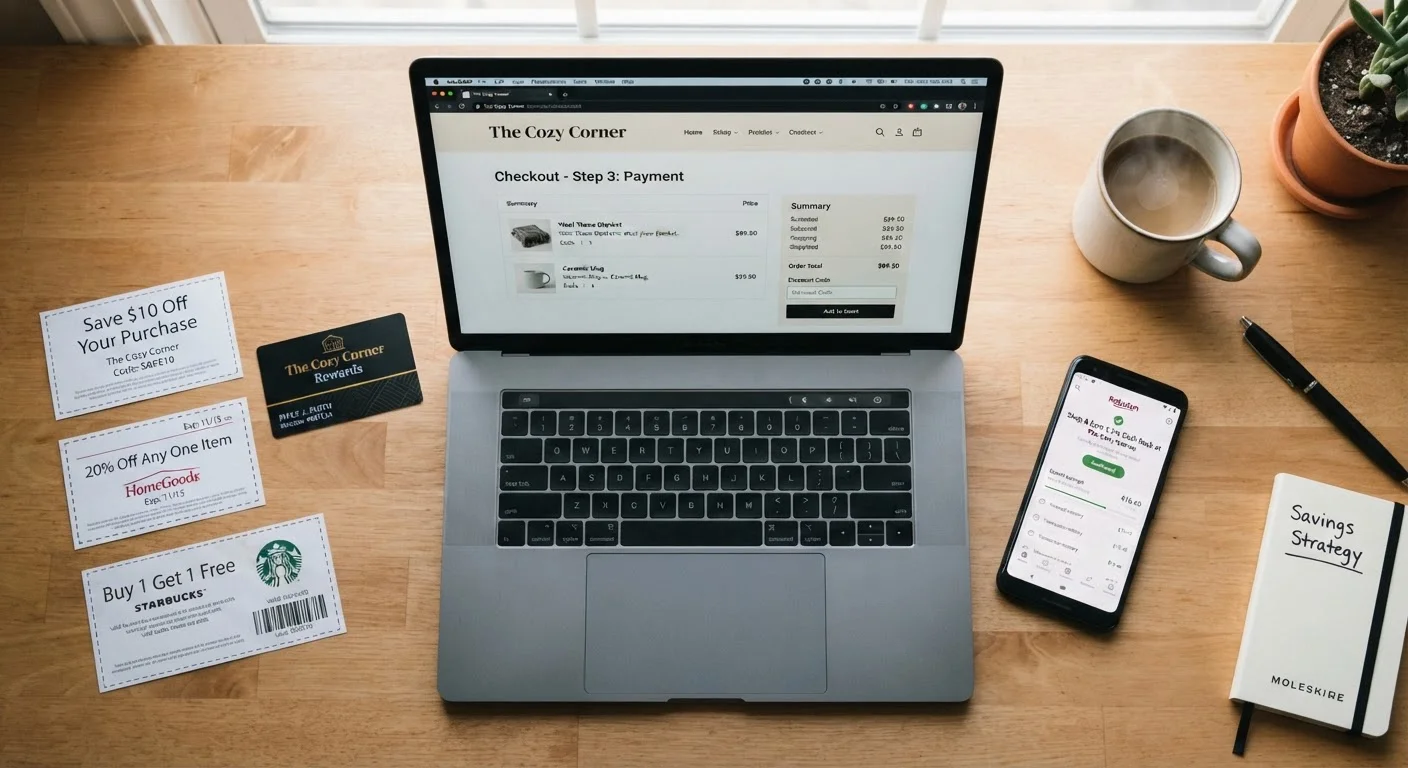
How Discount Stacking Actually Works
"Stacking" discounts means applying more than one savings method to a single purchase. The mechanics vary by retailer and by the type of savings involved. Before attempting to combine offers, it helps to understand what you're working with.
The three most common savings types - discounts, rebates, and coupons - work differently from each other. Our explainer on the difference between a discount, a rebate, and a coupon walks through the mechanics clearly. In short: a site-wide sale reduces the listed price automatically; a coupon code requires manual entry; a rebate pays you back after the transaction. These distinctions determine whether two savings methods can coexist.
Retailers build their pricing systems differently. Some allow a coupon code on top of an already-discounted item. Others explicitly restrict codes to full-price merchandise, or limit one promotional offer per order. These rules are usually stated in the fine print of each offer - and ignoring them can result in the discount being voided at checkout or reversed later.
Check the Policy Page, Not Just the Offer
Individual coupon terms tell you whether an offer is stackable, but a retailer's general promotions policy page often contains broader rules that override individual offer language. Search the retailer's help center for "coupon policy" or "promotions policy" to find the authoritative source. This is especially useful when stacking a manufacturer's offer against a store-level sale.
Understanding how coupon codes differ from automatic discounts is especially important when both types appear in the same checkout flow. Automatic discounts typically apply first; coupon codes may then apply to the adjusted subtotal - or may not apply at all if the policy prohibits it.
Which Combinations Are Commonly Permitted
While policies differ, some combinations tend to be widely accepted across retail channels:
- Sale price + coupon code: Sometimes allowed, sometimes blocked. Check whether the coupon terms say "valid on sale items" or exclude them explicitly.
- Loyalty rewards + any discount: Loyalty points or store credit are generally treated as a payment method rather than a discount, making them stackable in most cases.
- Cashback programs + upfront discounts: Because cashback is processed after checkout - often through a browser extension or third-party portal - it typically does not interfere with codes or sale prices. See our deeper look at cashback versus instant discounts for a full comparison of timing and value.
- Manufacturer coupons + store discounts: In physical retail, manufacturer coupons and store-level discounts often stack because they come from separate funding sources. Online equivalents are less consistent.
Cashback Tracking Can Break Mid-Session
Cashback portals and browser extensions track your purchase through referral cookies. If you open a new tab, click an email link, or use a coupon aggregator site during the same session, the original tracking cookie may be overwritten and your cashback forfeited. Complete all coupon research before activating your cashback portal and navigate directly to the retailer without additional detours.
For a broader view of how savings channels differ depending on where you shop, online and in-store savings strategies aren't interchangeable - and the stacking rules that apply in one channel often don't apply in the other.
Step-by-Step: Applying Multiple Discounts Correctly
Follow these steps each time you want to combine savings methods. Taking a few minutes before checkout pays off more reliably than hoping for the best.
What you will need
Read the terms of every offer before adding to cart
Open each coupon, deal page, or promotional email and locate the terms and conditions. Look specifically for phrases like "not valid on sale items," "one coupon per transaction," or "cannot be combined with other offers." Flag any restriction before proceeding.
Set up loyalty accounts and cashback portals first
Log in to your store loyalty account before building your cart - some personalized discounts only appear when you're authenticated. If you use a cashback portal or browser extension, activate it before you navigate to the retailer's site so every eligible purchase is tracked from the start of your session.
Add items and confirm sale prices appear correctly
Add products to your cart and verify that any automatic or sale pricing is reflected on the cart page. Automatic discounts should appear without any action on your part. If an expected price isn't showing, check whether the item qualifies under the promotion's specific conditions (color, size, category, or minimum quantity).
Apply coupon codes and review the adjusted total
Enter any coupon codes in the designated field at checkout. Apply one code at a time and note the exact dollar or percentage change each code produces. If a code fails, the error message often indicates why - for example, "item not eligible" or "offer already applied." Do not attempt to circumvent these restrictions; they are part of the retailer's pricing contract.
Apply loyalty points or store credit
After discount codes are applied, use any available loyalty points or store credit. These are treated as a payment method in most systems, meaning they reduce your out-of-pocket cost without affecting the discount calculation. Confirm the points redemption value on the checkout page before finalizing.
Verify the final total and complete the purchase
Before entering payment details, review the order summary line by line: the pre-discount subtotal, each discount applied and its amount, loyalty credit used, taxes, and shipping. Confirm the final charge matches your calculation. If anything looks incorrect, do not proceed - contact customer support to clarify before submitting payment.
Avoiding Common Mistakes and Traps
Discount stacking is straightforward when the rules are clear - but several common pitfalls trip up even experienced shoppers.
Over-buying to unlock a threshold discount. Tiered offers like "save 20% when you spend $75" only help if you actually need what's in the cart. Buying more to save more often costs you more in net terms once you account for unused items.
Assuming silence means permission. If a coupon's terms don't mention stacking, that doesn't mean it's allowed. Many retailers default to one discount per transaction unless the offer explicitly states otherwise. When in doubt, contact customer service before completing the purchase.
Ignoring the calculation order. A 15% coupon applied after a 20% sale gives a different final price than if the order were reversed. For a $100 item: sale brings it to $80, then 15% off $80 equals $68. Reversed, 15% off first gives $85, then 20% off $85 equals $68 - in this case identical, but percentage-off-percentage math varies when the base price changes. Verify which price each discount acts upon.
Missing return policy implications. When you return an item purchased with stacked discounts, the refund may revert to the discounted amount rather than the full retail price. Understanding your consumer rights before checkout - especially refund terms - prevents unpleasant surprises.
Stacking Doesn't Mean Manipulating
Legitimate discount stacking means applying offers according to their stated terms - not exploiting system errors, duplicate codes, or pricing glitches. Retailers can cancel orders, suspend accounts, or reverse discounts applied in violation of their terms of service. If a combination seems too good to be true, verify it with customer service before completing the purchase rather than assuming it will hold.