Why Connectivity Belongs in Every Neighborhood Evaluation
Broadband and cellular service have moved from amenities to baseline infrastructure. Remote and hybrid work arrangements, video telehealth, streaming, and smart-home devices all depend on consistent, fast connectivity. Yet connectivity is rarely front-of-mind during home tours - buyers and renters tend to check it only after they've already signed.
The gap between advertised and actual service is real. Providers report availability to regulators at a census block level, meaning a single address with a connection can cause an entire block to appear "served" even if neighbors can't get service. The factors that define a quality neighborhood increasingly include digital infrastructure alongside physical ones.
Internet quality also signals something about broader investment. Areas with fiber buildout and strong carrier competition tend to reflect municipal and private-sector confidence in a neighborhood's trajectory. As noted in research on infrastructure as a neighborhood signal, utility quality reflects long-term planning priorities.
Coverage Maps Are Not Guarantees
Carrier and ISP coverage maps are self-reported estimates, not independently verified data. A map showing "strong" or "available" service at an address does not mean you will get usable speeds or reliable signal inside that specific building. Always confirm with on-site testing and resident feedback before committing to a move.
Tools and Resources You'll Need
Before running any checks, gather the tools below. Most are free and accessible from a browser or smartphone. Having them ready before an in-person visit saves time and ensures you collect comparable data across properties you're evaluating.
What you will need
FCC National Broadband Map
Look up which ISPs have filed availability data for a specific address and what technology types they report.
Carrier coverage checker (each major carrier's website)
View self-reported cellular signal strength and technology (4G LTE, 5G) for the address.
Speed test application (browser-based)
Measure actual download and upload speeds and latency while physically at the property.
Local community forum or neighborhood app
Gather candid resident feedback on outage frequency and real-world ISP reliability.
Test During Peak Hours for Realism
Evening hours - typically 7 to 10 p.m. - represent peak network demand for most residential areas. Running a speed test during this window at the address gives you a much more realistic picture of daily performance than a mid-morning test would. Aim for at least two tests at different times of day.
Step-by-Step: How to Verify Coverage Before You Commit
Follow these steps in order, both from home using online tools and again in person at the property. The combination of remote research and on-site testing gives you the most complete picture available before signing.
Look Up Broadband Availability at the Exact Address
Visit the FCC National Broadband Map at broadbandmap.fcc.gov and enter the full property address. The map shows which providers have reported service availability, the technology type (fiber, cable, DSL, fixed wireless, or satellite), and the maximum advertised speeds.
Record every provider listed and their technology type. Fiber and cable (DOCSIS 3.1) generally offer the most consistent residential performance; DSL and fixed wireless vary more widely. Note that the FCC map reflects what providers have self-reported - treat it as a starting point, not a final answer.
Check All Major Carrier Coverage Maps for Mobile Signal
Visit the coverage check tool on each major carrier's website and enter the property address. Look at indoor coverage specifically - outdoor signal does not always penetrate building materials reliably. Check for 4G LTE availability as a baseline and note whether 5G is available, understanding that 5G coverage and performance vary significantly by type (low-band vs. mid-band vs. mmWave).
If you rely on your phone as a mobile hotspot backup, verify that your carrier's data plan supports that use and that signal at the address supports realistic hotspot speeds.
Run a Speed Test and Signal Check On-Site
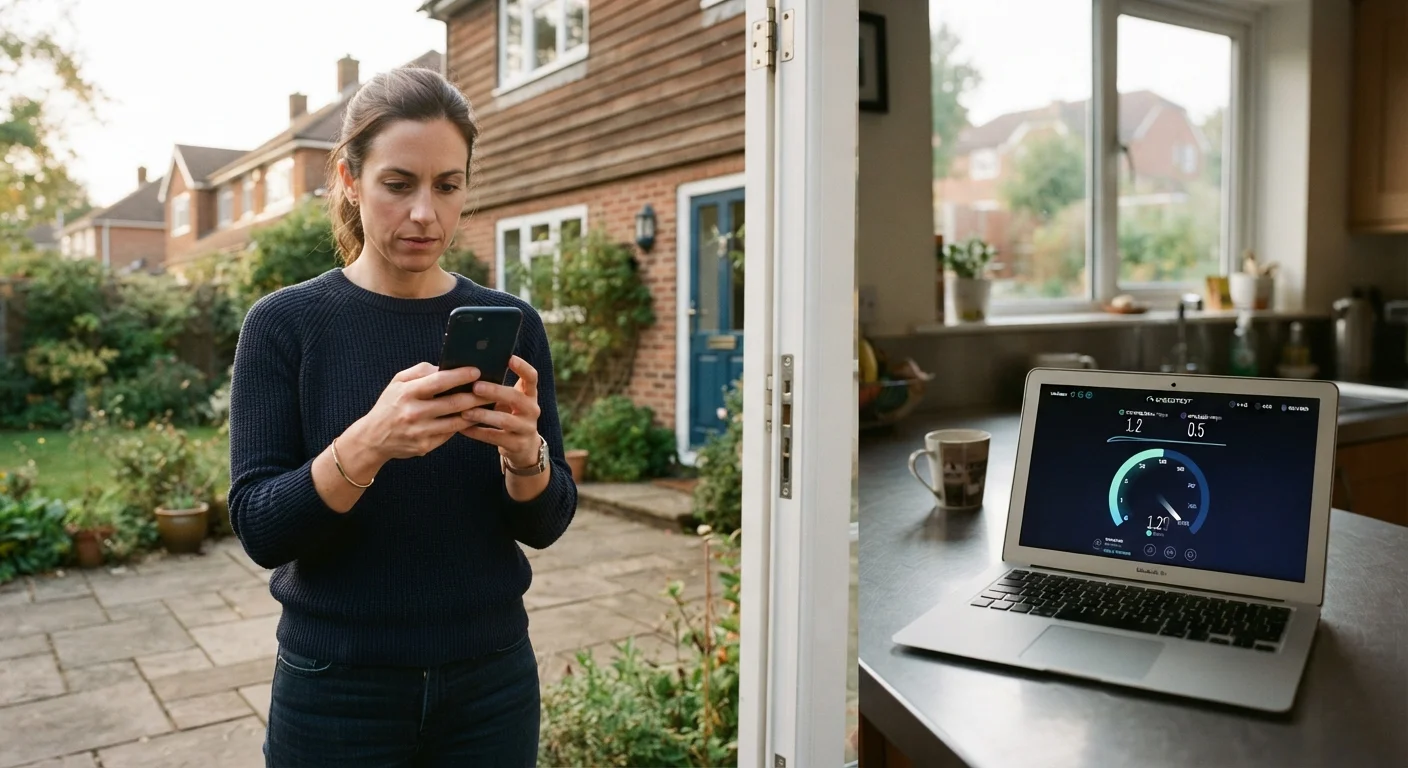
During your in-person visit, connect to the property's existing Wi-Fi if the seller or landlord permits it, or use your phone's cellular data, and run a speed test using a browser-based tool. Record download speed, upload speed, and latency (ping). Also check your phone's signal bars and note whether they stay stable as you move between rooms.
Walk to the home office area, the bedroom, and any basement or upper floor. Signal can drop sharply between floors or in rooms far from a router or window.
Contact Providers Directly to Confirm Serviceability
Call or chat with the ISPs listed on the FCC map and ask them to confirm whether they can actually activate service at the specific unit or address. Multi-unit buildings and newer subdivisions sometimes appear on coverage maps before infrastructure is fully installed. Get a written or emailed confirmation if possible.
Ask about installation timelines, any building-specific equipment requirements, and whether the unit has existing wiring or a previous service account - this affects how quickly service can be activated after move-in.
Ask Current Residents About Real-World Reliability
Knock on a neighbor's door or post in a local community forum for the area. Ask whether outages are frequent, how long they typically last, and whether speeds hold up during evenings and weekends. Residents have direct experience that no coverage map can replicate.
This step is especially valuable in remote relocation scenarios where you have limited opportunities for multiple in-person visits. Online community groups often have candid threads about ISP performance by neighborhood.
Factor Connectivity Into Your Overall Neighborhood Assessment
Connectivity infrastructure is part of a broader evaluation of what a neighborhood offers. Reliable internet is increasingly essential for remote work, telehealth, education, and everyday life. Treat it with the same weight as proximity to transit or grocery access.
For a fuller picture, pair this research with your neighborhood evaluation checklist covering safety, schools, noise, and local services. Connectivity gaps in an otherwise strong neighborhood may be acceptable; in a neighborhood with multiple other concerns, they compound risk.
Satellite and Fixed Wireless Have Real Limitations
Satellite broadband and fixed wireless access can serve areas without cable or fiber, but performance often varies by weather, terrain, and network congestion. If these are the only options at an address, research service-level expectations carefully and understand that speeds and latency may differ significantly from wired alternatives.
This article provides general informational guidance on evaluating connectivity infrastructure and is not a substitute for independent verification with service providers or licensed real estate professionals. Coverage data, provider availability, and technology types change frequently - confirm directly with providers for the most current information.