
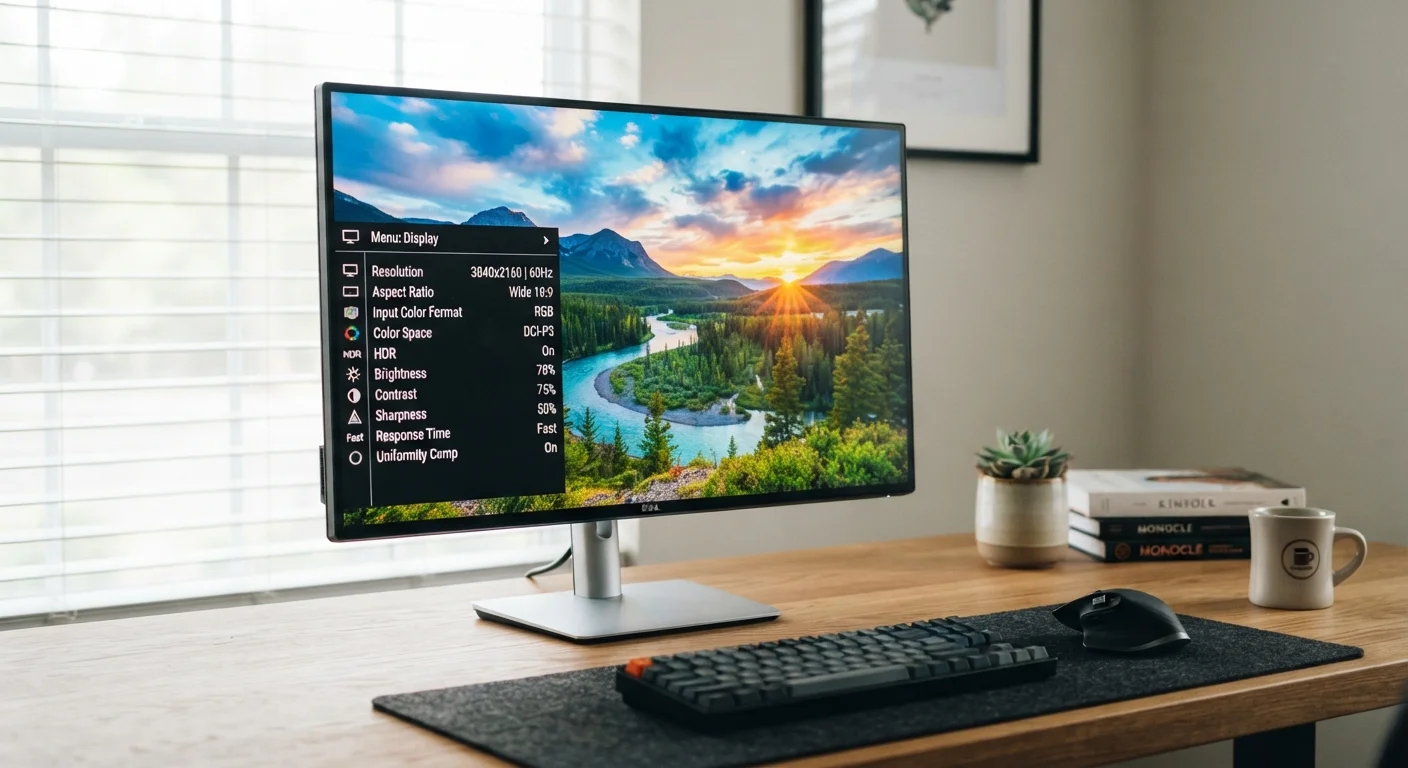
Why Screen Size Is Just the Beginning
When most people shop for a monitor, the first number they reach for is screen size. It's intuitive - a 27-inch screen is bigger than a 24-inch one, so it must be better, right? In practice, screen size determines how much desk space a monitor occupies far more than it determines how good the image looks.
What actually shapes your daily viewing experience is a cluster of specifications that rarely get the same attention: resolution, refresh rate, response time, contrast ratio, and color accuracy. Each one answers a different question about how your monitor performs. Understanding them together - rather than in isolation - is what separates an informed choice from an expensive guess.
For those comparing monitors to laptop displays, our guide to laptop screen specs covers overlapping concepts like panel types and resolution in a portable context.
4K
Resolution tier gaining mainstream adoption
4K (3840×2160) monitors have seen rapid growth in the consumer market as prices have declined significantly over the past several years.
144Hz
Common refresh rate for gaming monitors
144Hz has become a widely available standard for gaming-oriented displays, offering substantially smoother motion than traditional 60Hz panels.
1ms
Fastest advertised response time (GtG)
Gray-to-gray (GtG) response times of 1ms are marketed on high-performance TN and some IPS gaming monitors, though real-world measurements vary by test method.
Resolution and Pixel Density: The Sharpness Story
Resolution describes how many pixels are packed into the display - expressed as width by height (for example, 1920×1080 for Full HD, or 3840×2160 for 4K). More pixels means more visual information on screen, but the number alone doesn't tell the full story.
Pixel density - pixels per inch (PPI) - is what actually determines sharpness. A 4K resolution on a 24-inch monitor looks razor-sharp because the pixels are packed tightly together. The same 4K resolution on a 43-inch display spreads those pixels further apart, resulting in lower PPI and a comparatively softer image at close viewing distances.
For most office or general-use monitors at arm's length, a PPI above 90-100 is considered comfortable. Creative professionals working with detailed images or text often prefer 110 PPI or higher to reduce visible pixel structure.
Refresh Rate and Response Time: Two Different Things
These two specifications are frequently confused, but they measure entirely separate phenomena.
Refresh rate (measured in hertz, or Hz) is how many times per second the monitor redraws the image. A 60Hz panel refreshes 60 times per second; a 144Hz panel refreshes 144 times per second. Higher refresh rates produce smoother motion - noticeable not just in gaming, but in everyday scrolling and cursor movement. If you've ever used a high-refresh-rate display and then returned to a 60Hz screen, the difference is immediately apparent.
Response time (measured in milliseconds, or ms) describes how quickly an individual pixel can change from one color to another. A slow response time causes ghosting - a blurring trail behind fast-moving objects. For gaming or video content, response times of 5ms or lower are generally preferred. Standard productivity monitors may list higher values without meaningful impact for typical office tasks.
For context on how refresh rate behaves differently across device types, see our overview of refresh rate on TVs.
Match Refresh Rate to Your GPU's Output
A 144Hz monitor only delivers smooth motion if your computer's graphics processor can output enough frames per second to take advantage of it. For general productivity, this rarely matters - but for gaming or video work, verify your system can keep pace with the display's refresh rate before prioritizing it as a key specification.
Contrast Ratio, Color Accuracy, and Panel Type
Contrast ratio expresses the difference in luminance between the brightest white and the darkest black a monitor can display. A higher contrast ratio means blacks appear deeper and images have more visual depth. VA panels tend to offer significantly higher native contrast than IPS panels. OLED panels - where each pixel produces its own light - can achieve near-infinite contrast by turning individual pixels completely off.
Color accuracy is typically reported as coverage of a color space: sRGB (the standard for web and office use) or DCI-P3 (used in video production and higher-end creative work). A monitor covering 99% sRGB is well-suited for most users. Those editing photos or video professionally should look for wide-gamut coverage and factory calibration.
Panel type is the architecture underlying all these numbers:
- IPS: Wide viewing angles, accurate color - a strong all-rounder.
- VA: Deep contrast, good for dark-room viewing, slightly slower response.
- TN: Fastest response times, narrower viewing angles, weaker color accuracy.
- OLED: Exceptional contrast and color, but higher cost and potential burn-in considerations.
Putting It All Together Before You Decide
No single specification defines a great monitor - the right combination depends entirely on how you use it. A graphic designer prioritizes color accuracy and wide gamut. A competitive gamer prioritizes refresh rate and response time. A programmer working long hours might weight panel brightness and ergonomics most heavily.
The most useful approach is to identify your primary use case first, then evaluate specs through that lens rather than chasing the highest numbers across the board. If you're building out a full desk setup, our computer buying checklist can help you assess the broader system alongside display decisions. And if you're considering adding a second screen, multi-monitor setup considerations covers compatibility and GPU requirements worth understanding first.
Manufacturer Spec Sheets Have Limits
Contrast ratios and color coverage figures on product listings are often measured under ideal laboratory conditions. Real-world performance can differ, particularly for contrast ratio on IPS panels and color accuracy before calibration. Independent display reviews using calibrated measurement tools tend to provide more reliable data than spec sheets alone.
